Personal Project
Segment Manager – AI Segmentation Design
A personal product design project: an AI-native tool a pharma brand team uses to rank doctors into tiers. I set a point of view on where AI belongs (it drafts and explains, a person decides), designed every screen at three sizes including the failure moments, and built the frames in React and Tailwind so each one imports into Figma.
Introduction
Project description
Segment Manager is a personal product design project, worked from a brief: an AI-native tool that ranks doctors into tiers for a pharma brand team. It has two very different users. Priya is an analyst who sets the rules. Daniel is a brand director who wants an answer without the maths.
I treated it as a product rather than a set of screens: a point of view on where AI belongs, every screen at three sizes including what happens when things go wrong, and a plan for taking it to a first release. Everything is in Figma: a clickable prototype, and a canvas with every screen, the design system and the deck.
- Timeline
- November 2026. I planned the work against a 10–12 hour timebox.
- My role
- Solo: product thinking, interaction and visual design, the deck, and the coded frames.
- The brief
- High-fidelity screens, with the weight on a rule builder with live preview and a set of stress scenarios, plus a point of view, an 18-month vision, a leadership plan and a note on how I used AI.
- Assumptions
- I haven't worked in pharma, so team conventions, refresh cadences and review times are written down as assumptions to test in analyst interviews.
01Point of view
AI drafts and explains. A person decides.
A live preview already shows Priya how many doctors a threshold gives. It doesn't tell her whether the threshold is sensible, why last quarter's top tier shrank, or whether last month's data broke the list. AI helps exactly there, and is dangerous wherever its output could reach the field unchecked.
So the product follows one rule, written as five principles, each with a test it has to pass.
The system counts. AI explains.
Every number, including numbers inside AI sentences, comes from a query result. A number in AI text that isn't bound to one fails validation.
AI output is an editable rule, never an answer
A request becomes the fields a person would fill in, each marked AI. If you can't reproduce an AI result by editing fields by hand, the feature is wrong.
Assume when readings agree, ask when they don't
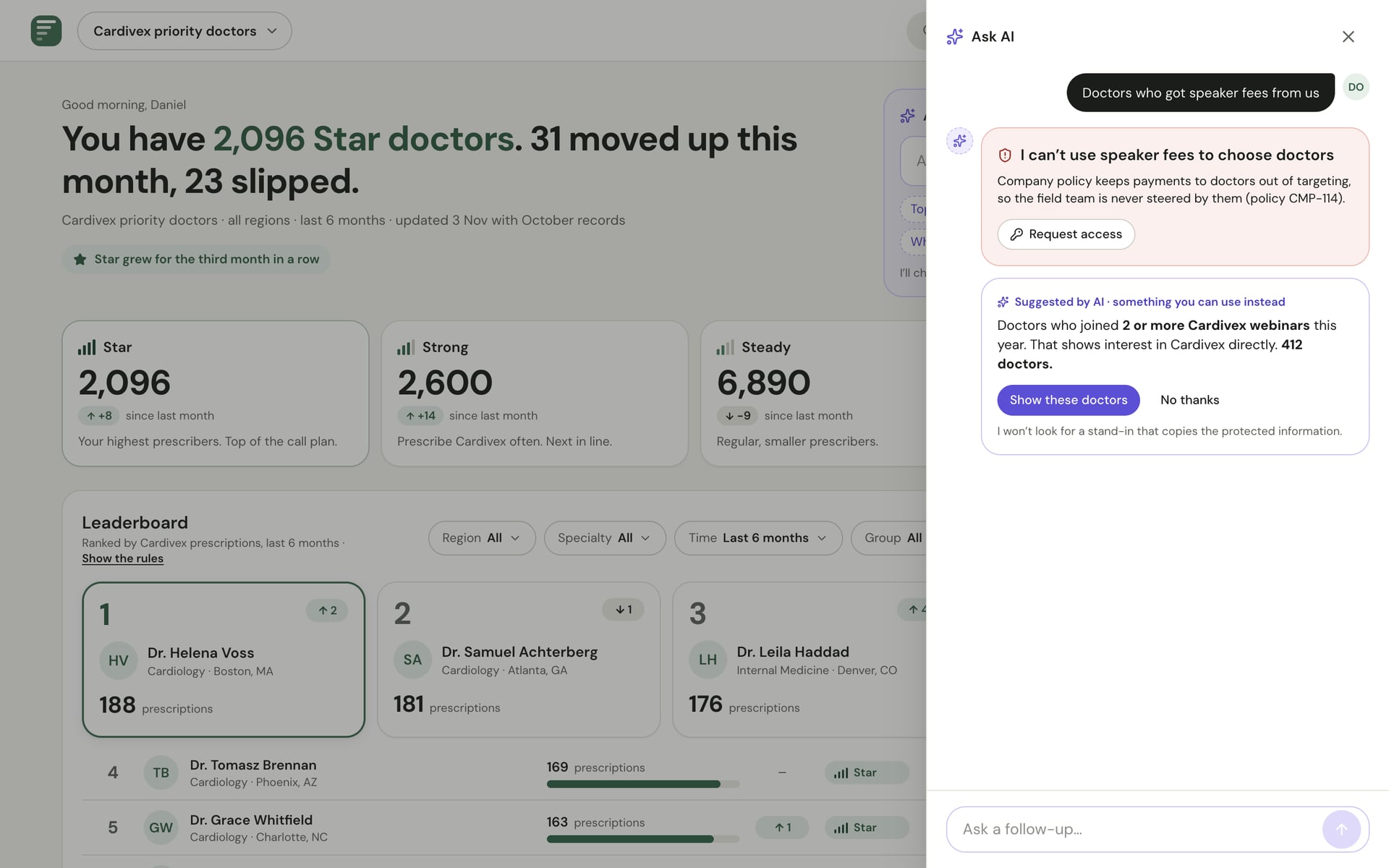
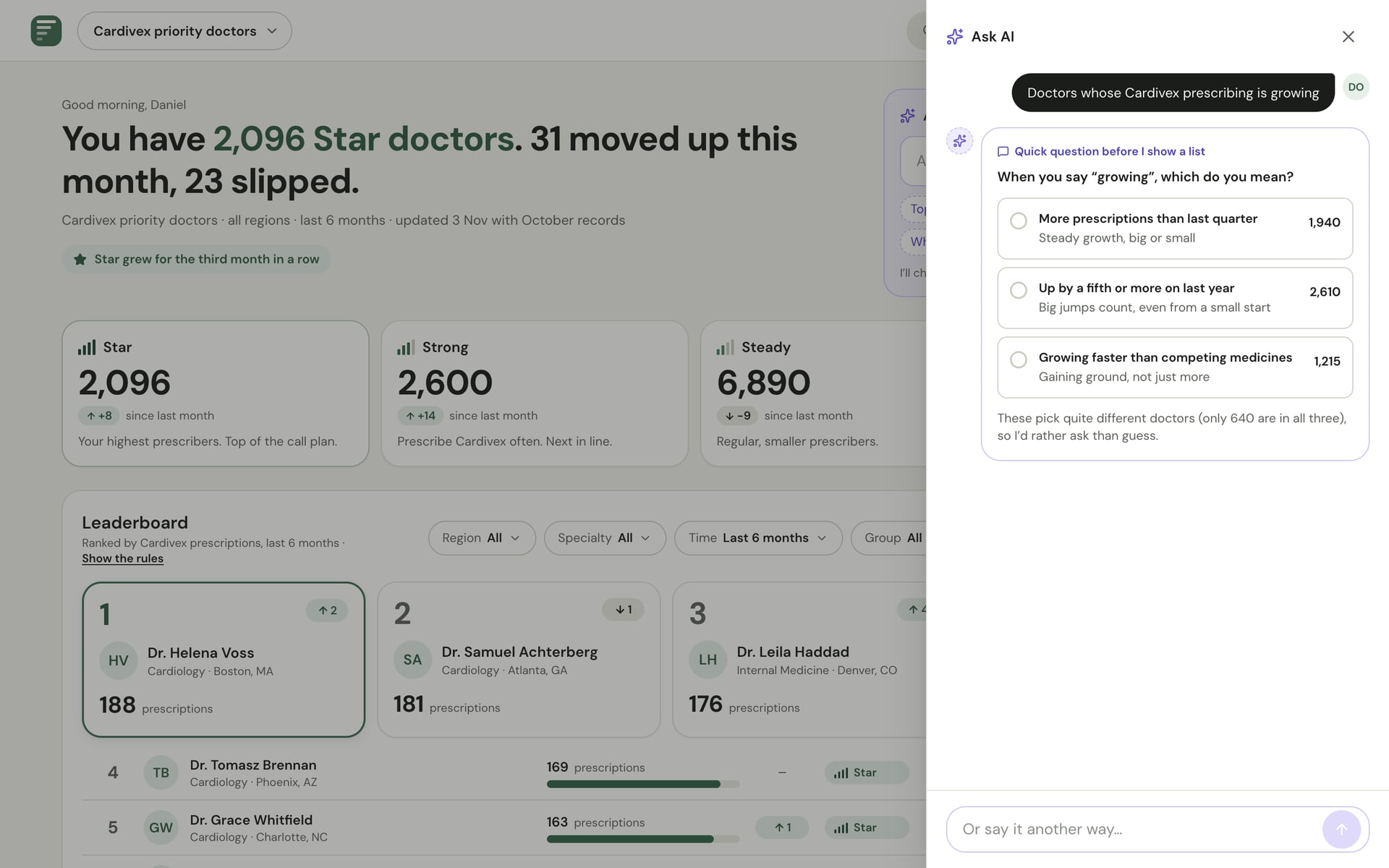
If the plausible readings of “high writers” pick mostly the same doctors, AI picks one and flags it. If not, it asks one question.
What a person sets, AI leaves alone
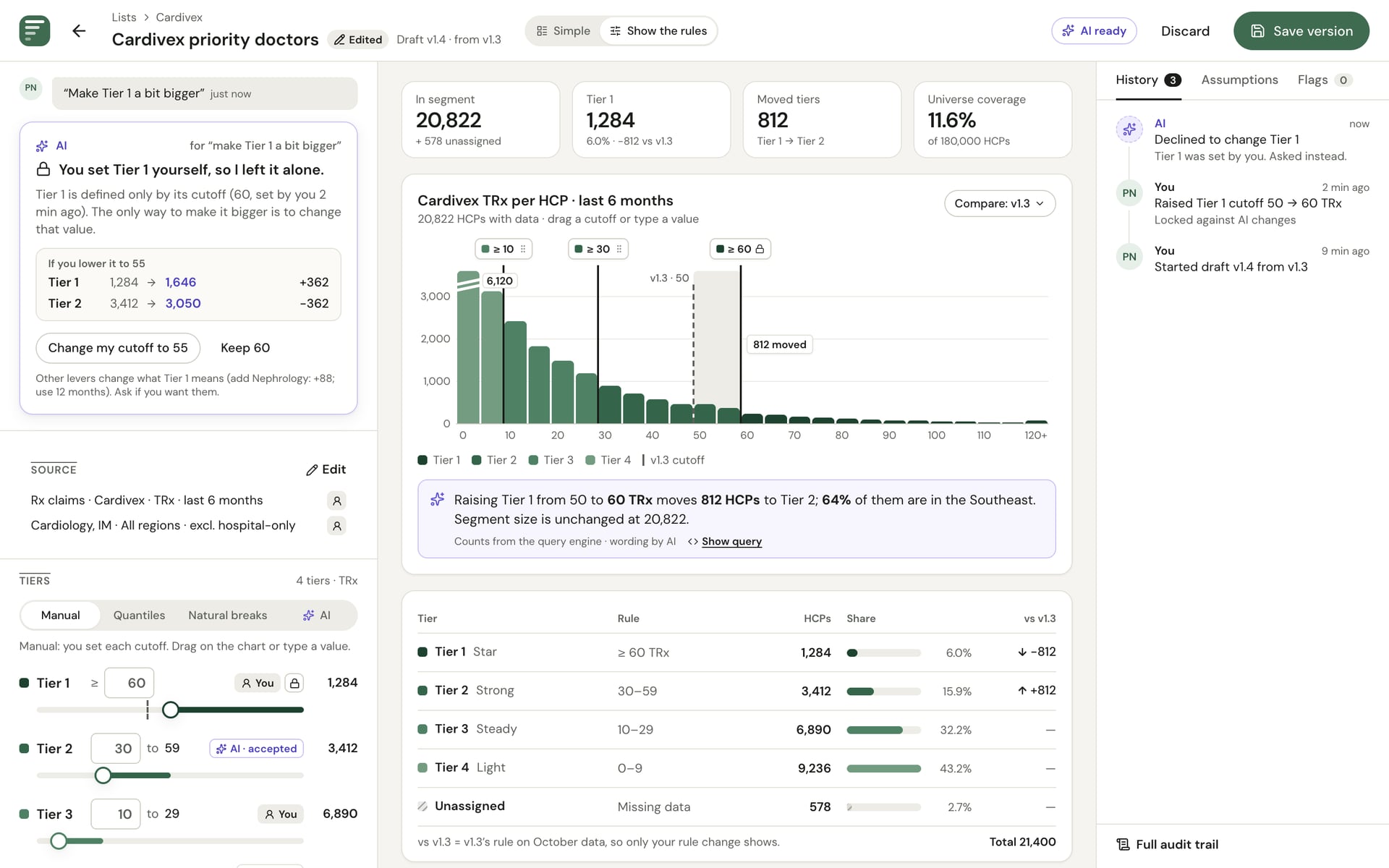
An edited field shows a lock, and the system, not the prompt, rejects any AI change to it.
AI drafts. A named person commits.
No version exists without a person's name on it. Daniel sends drafts for an analyst's review instead of publishing.
02Two depths
One list, two depths
My first drafts were built for analysts: histograms, percentile sliders and tier tables. But most people who open this tool are brand directors and sales leaders, and a statistics-style screen would lose their trust.
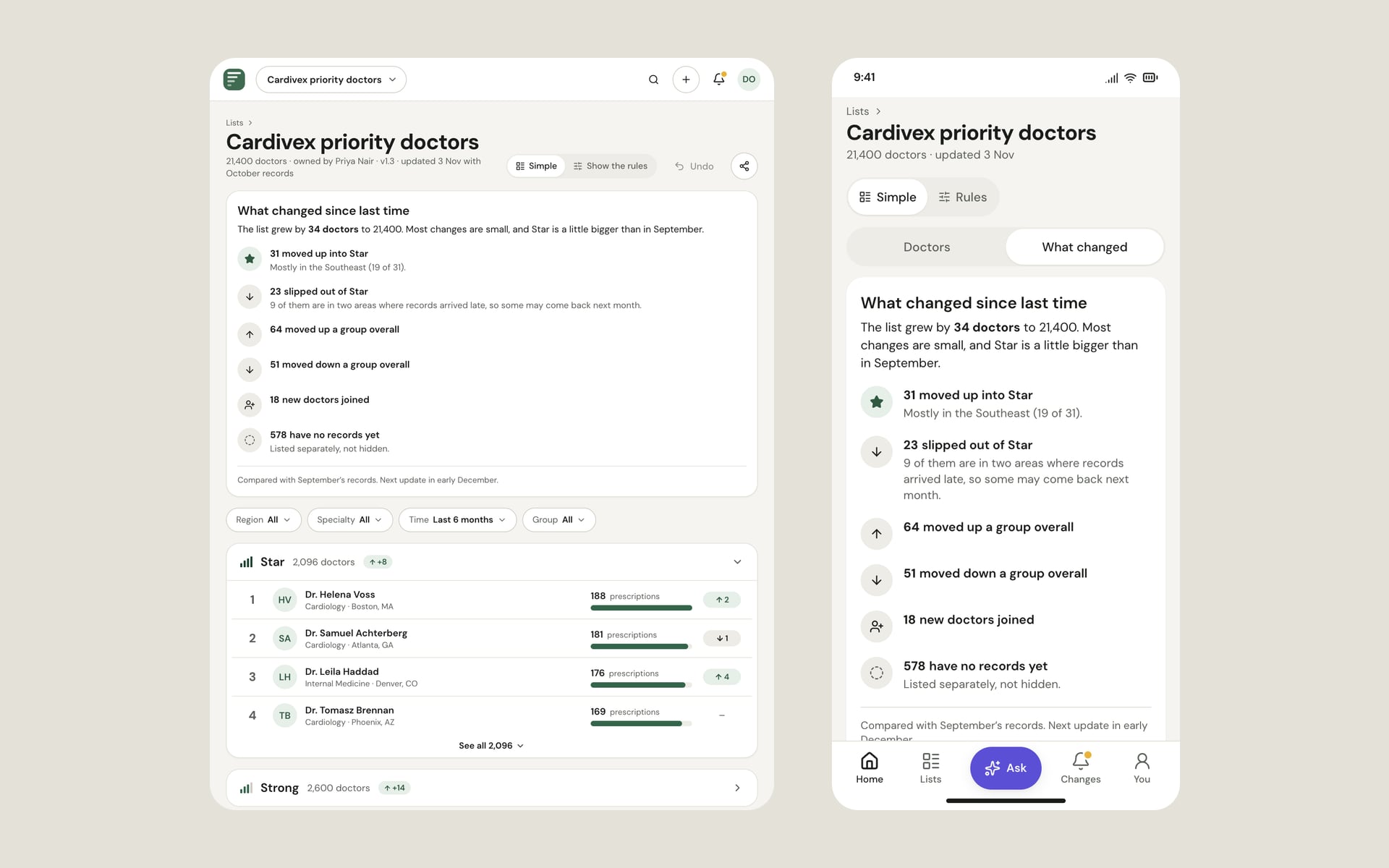
So every list has two depths. The simple view reads like a leaderboard and passes a five-second test for someone who dislikes maths. “Show the rules” opens Priya's full builder on the same list. The person's role decides which one opens first.
03What I built
The parts I owned
A simple view for people who aren't data people
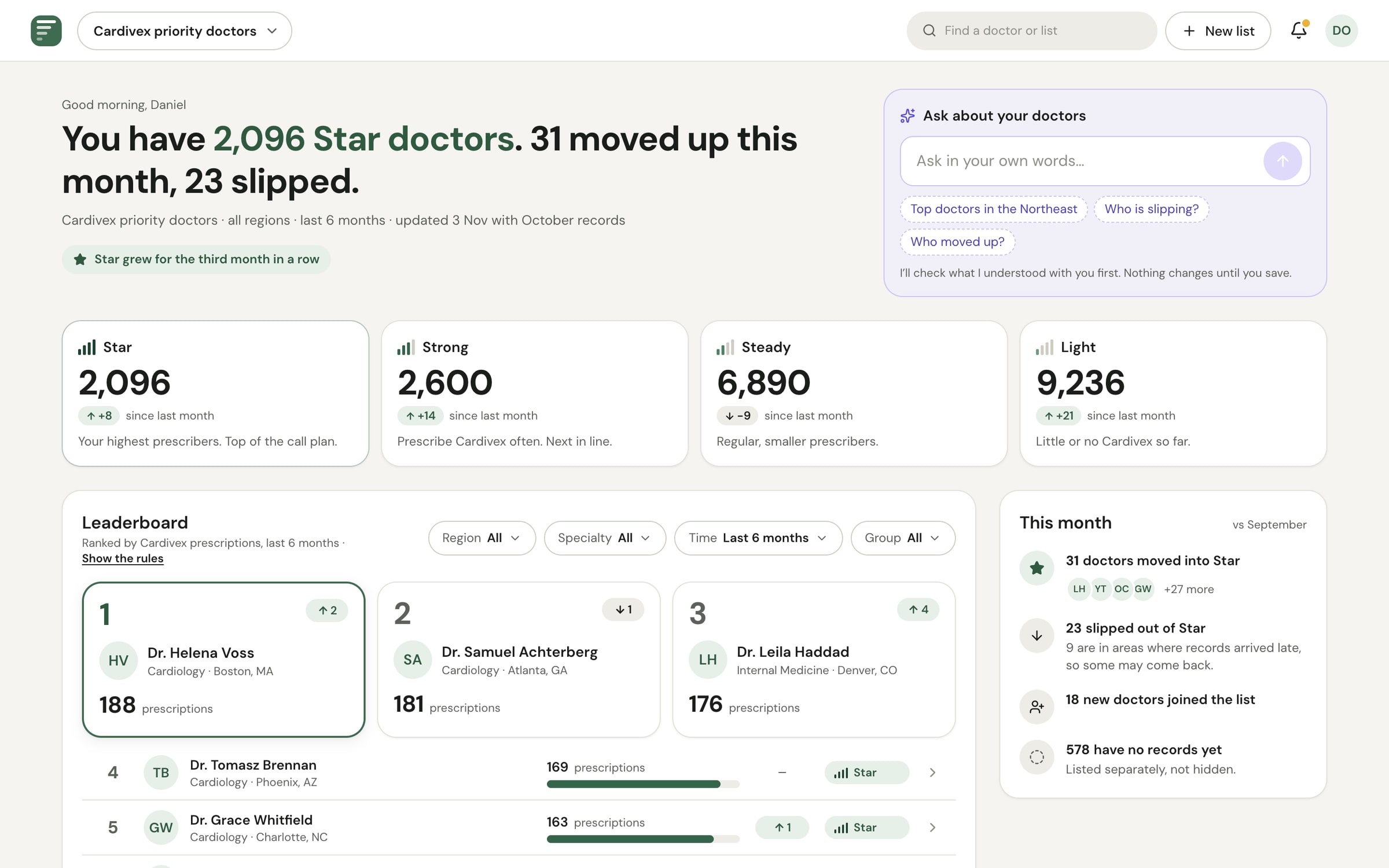
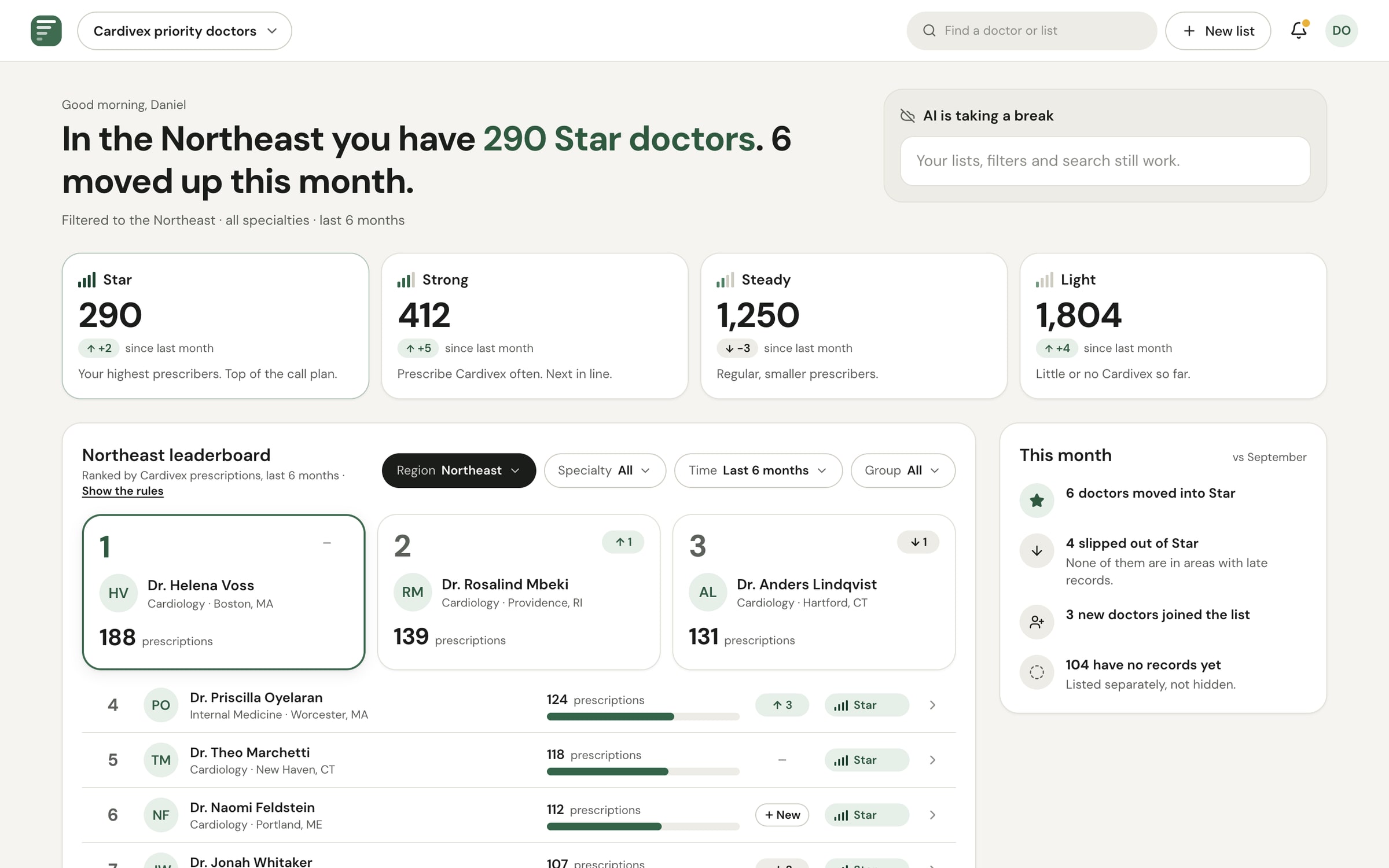
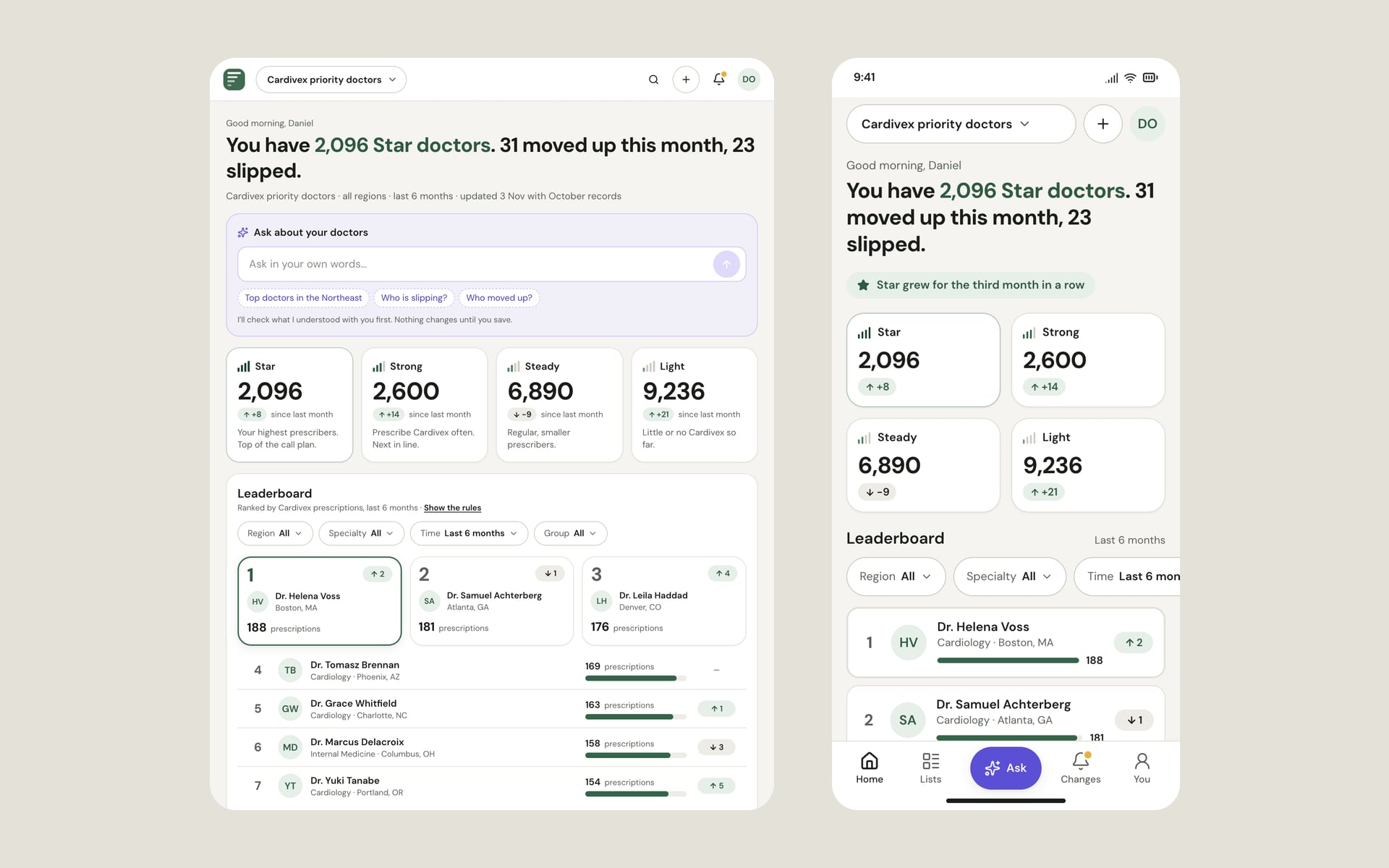
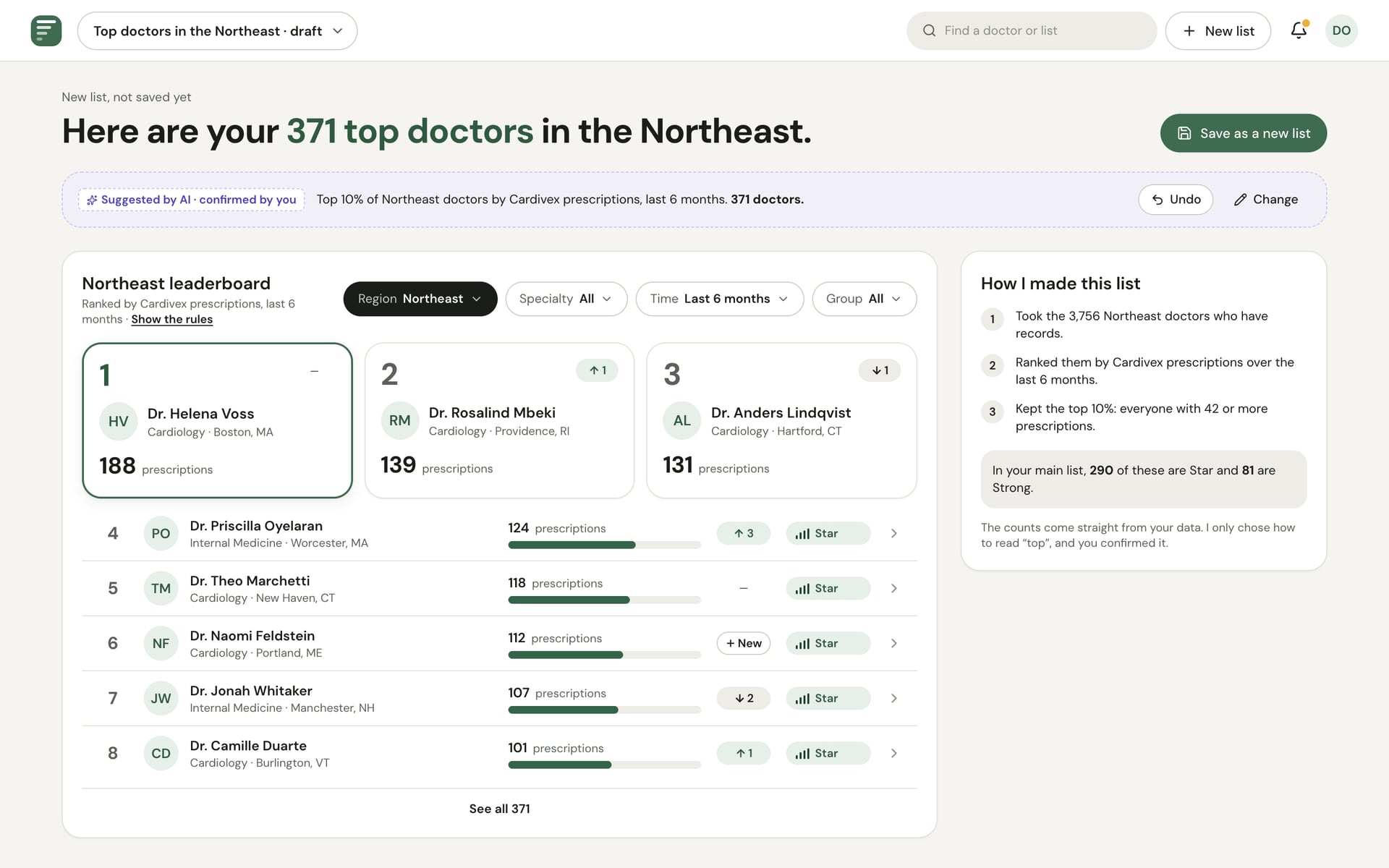
The default screen reads like a leaderboard: a sentence on how many Star doctors there are and who moved, four tier cards, a ranked list with a podium and an Ask AI box.
- Tier names describe level only (Star, Strong, Steady, Light); rising and slipping show separately as up and down chips
- Each tier has a signal-bar glyph as well as a shade of green, so the level never depends on colour alone
- Yellow only ever means “look at this”, so the podium has no gold
AI trust moments
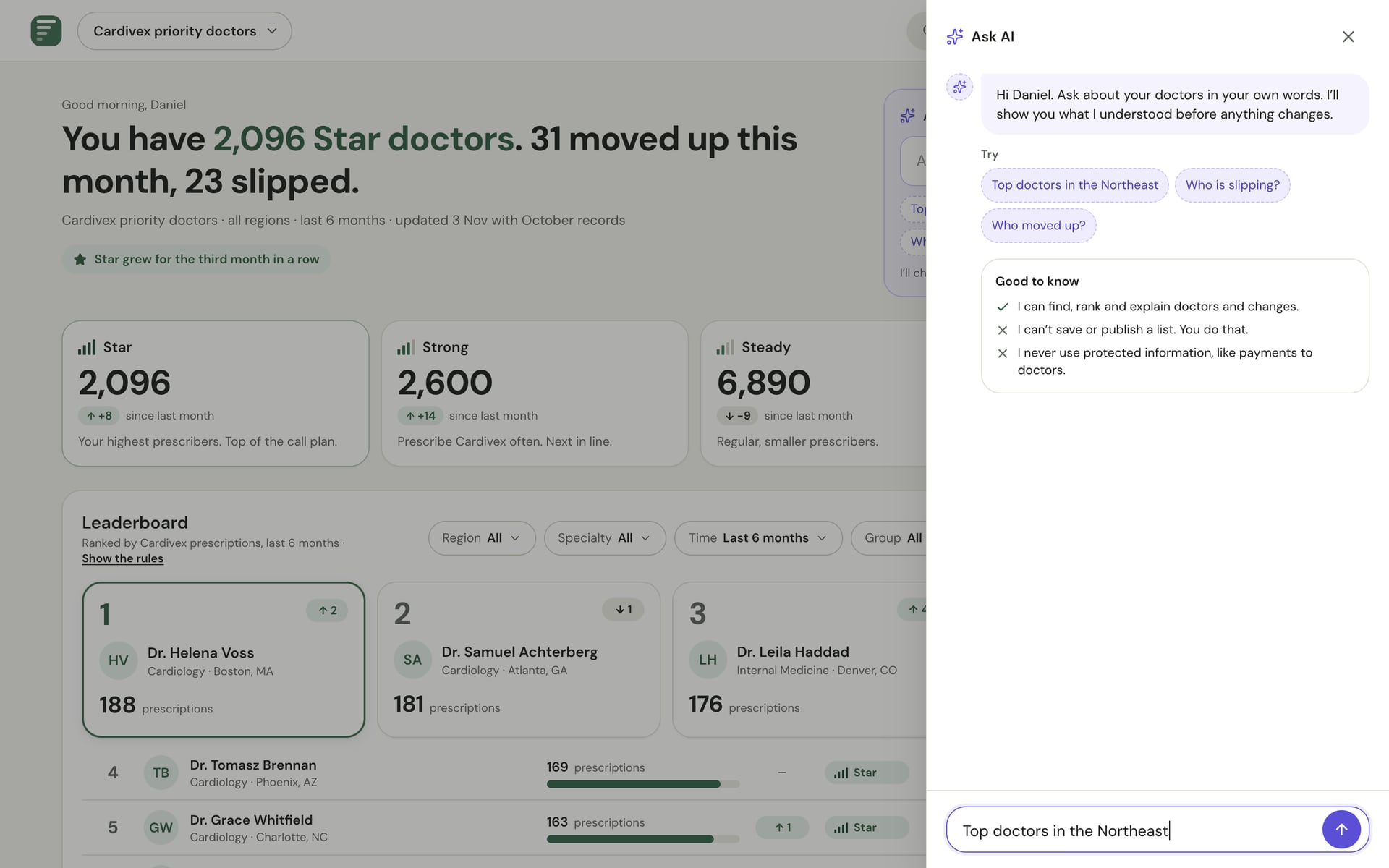
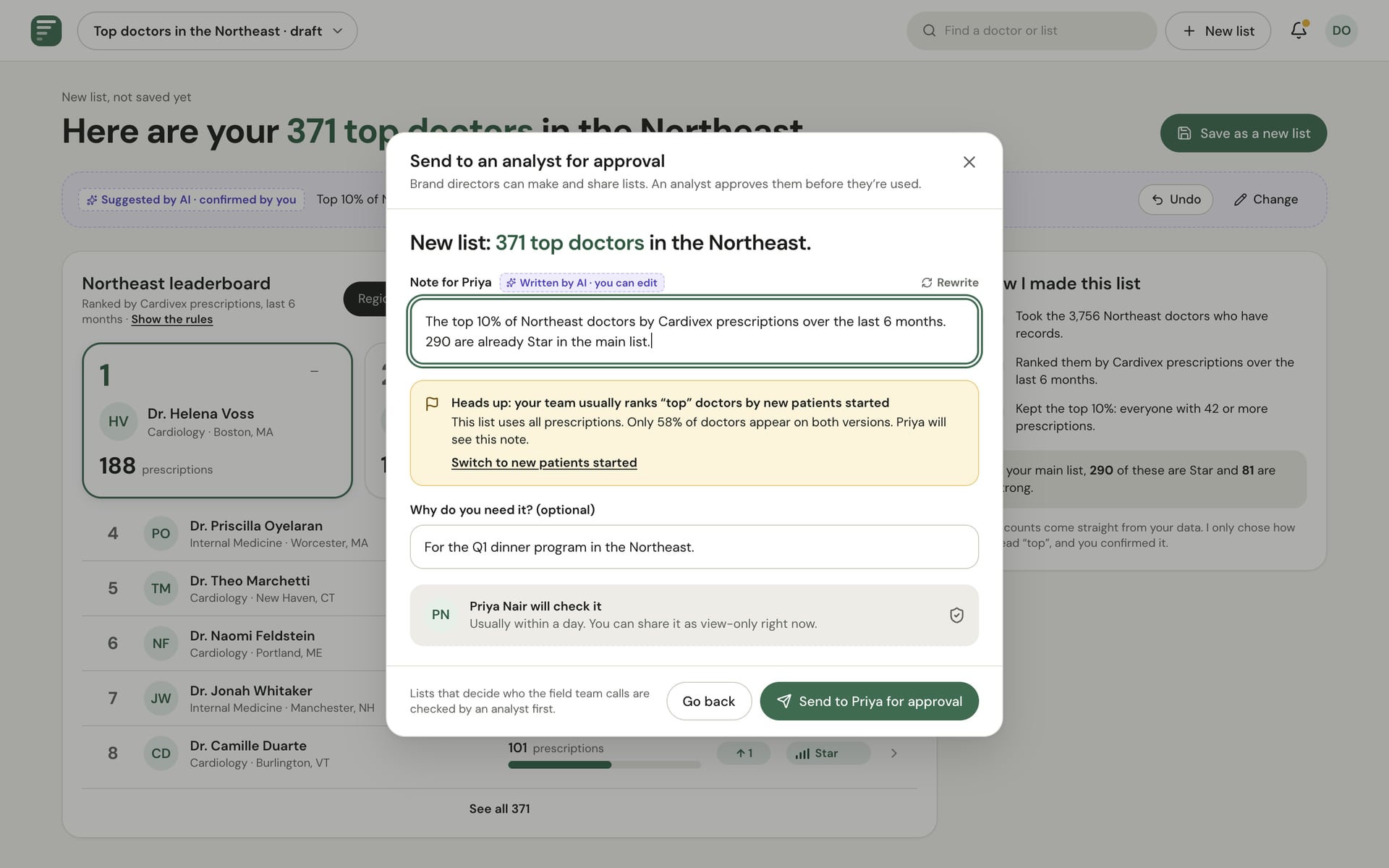
Every place AI acts is designed so the person can see it, check it and undo it.
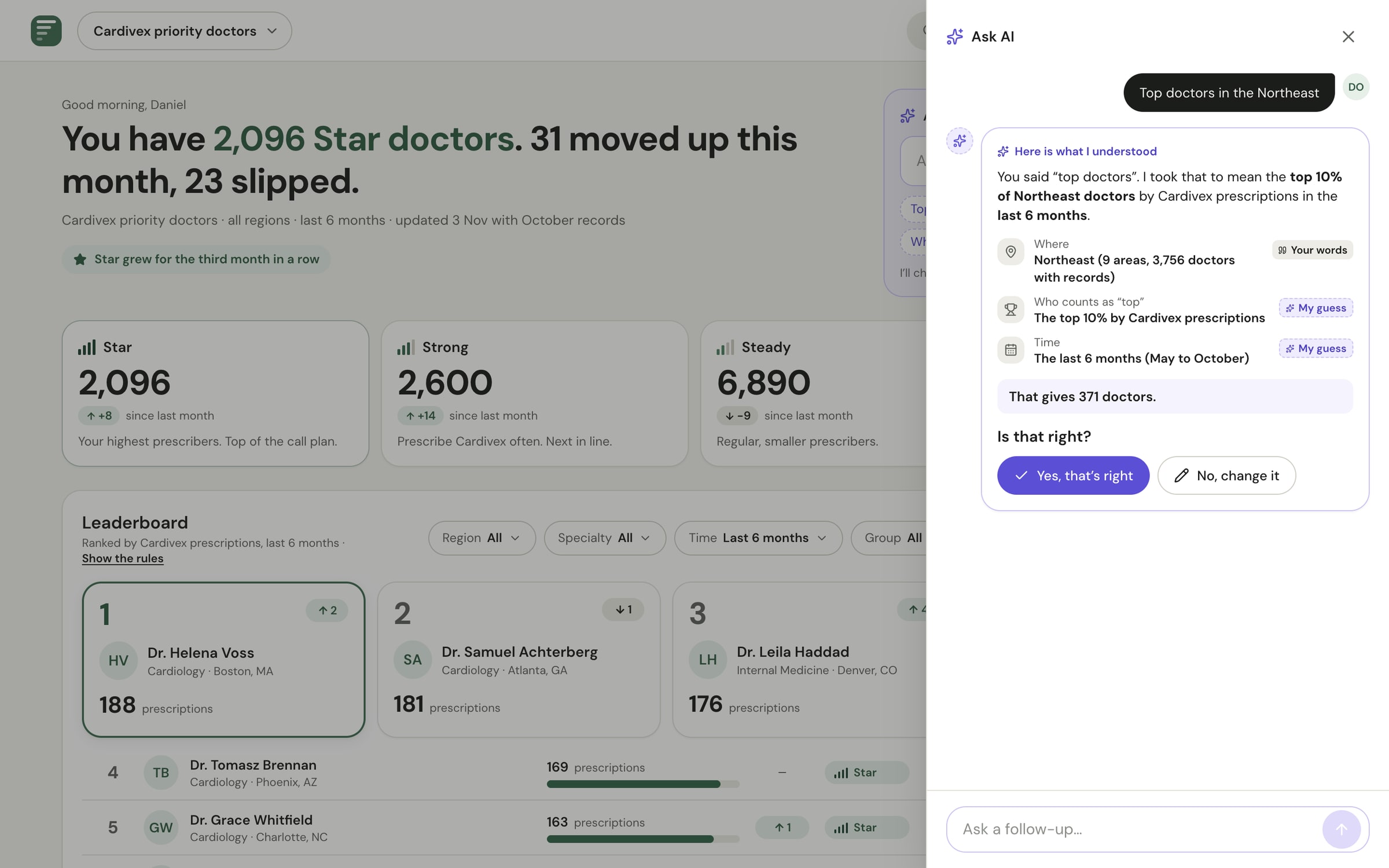
- “Here is what I understood” separates your words from the AI's guesses
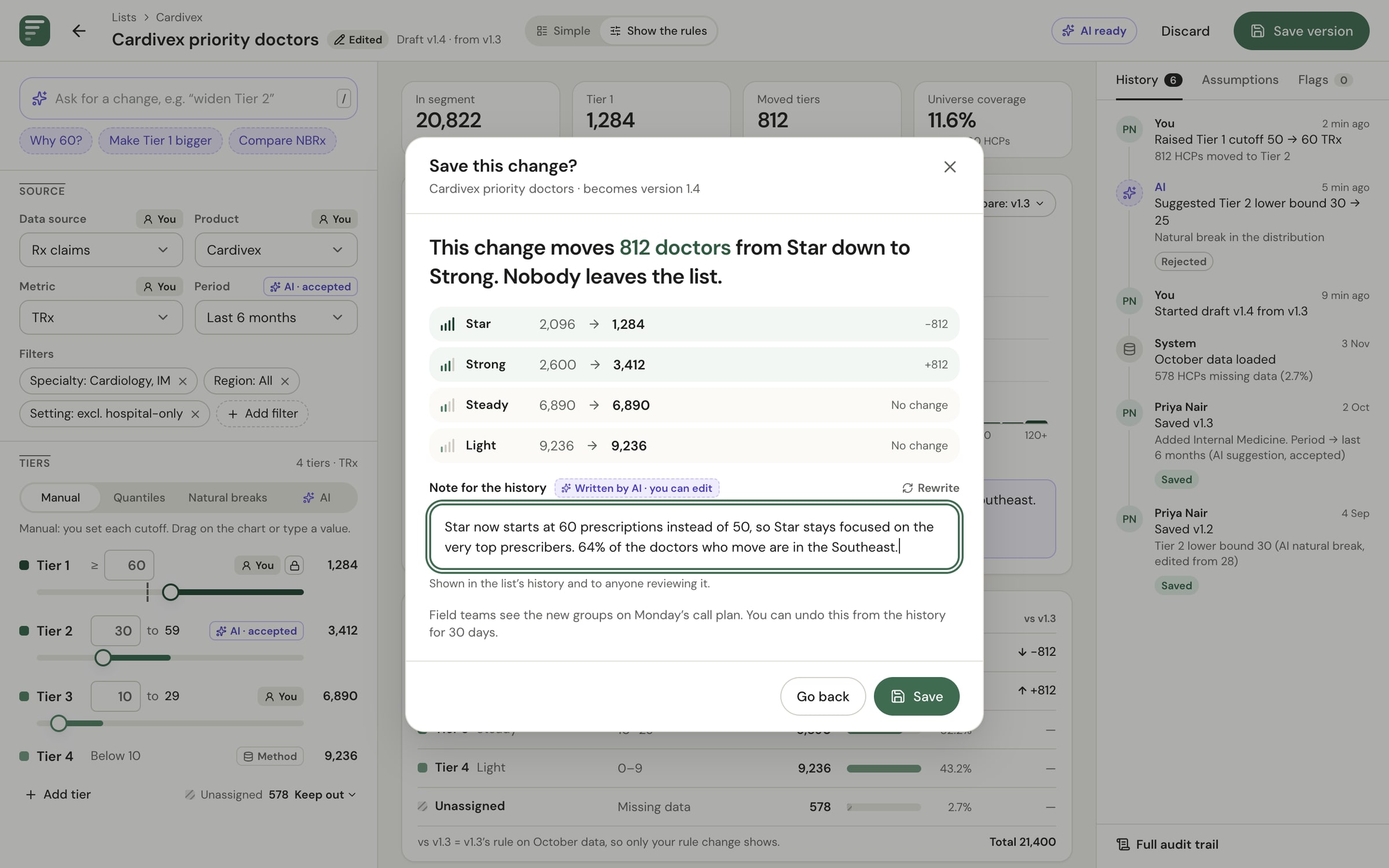
- Saving explains the change in doctors (“This moves 812 doctors from Star down to Strong”) with an editable AI note
- A field a person set shows a lock, and AI leaves it alone
The rule builder
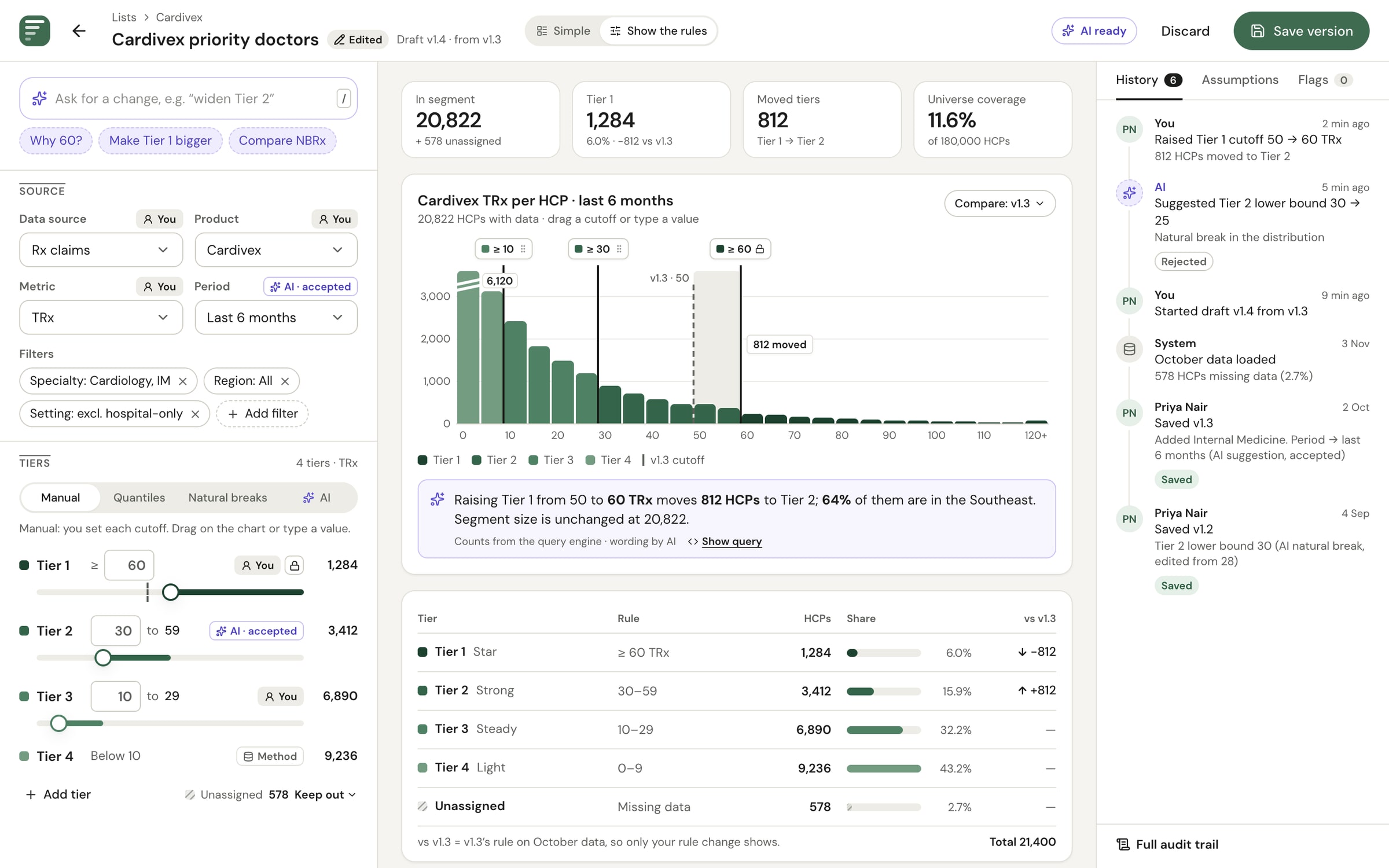
Priya's full builder sits one tap behind the simple view, and is the default for analysts: live preview with a histogram, tiers compared with the last version, where each value came from, and history.
- AI proposals appear inside the rules, to accept, edit or reject
Failure moments
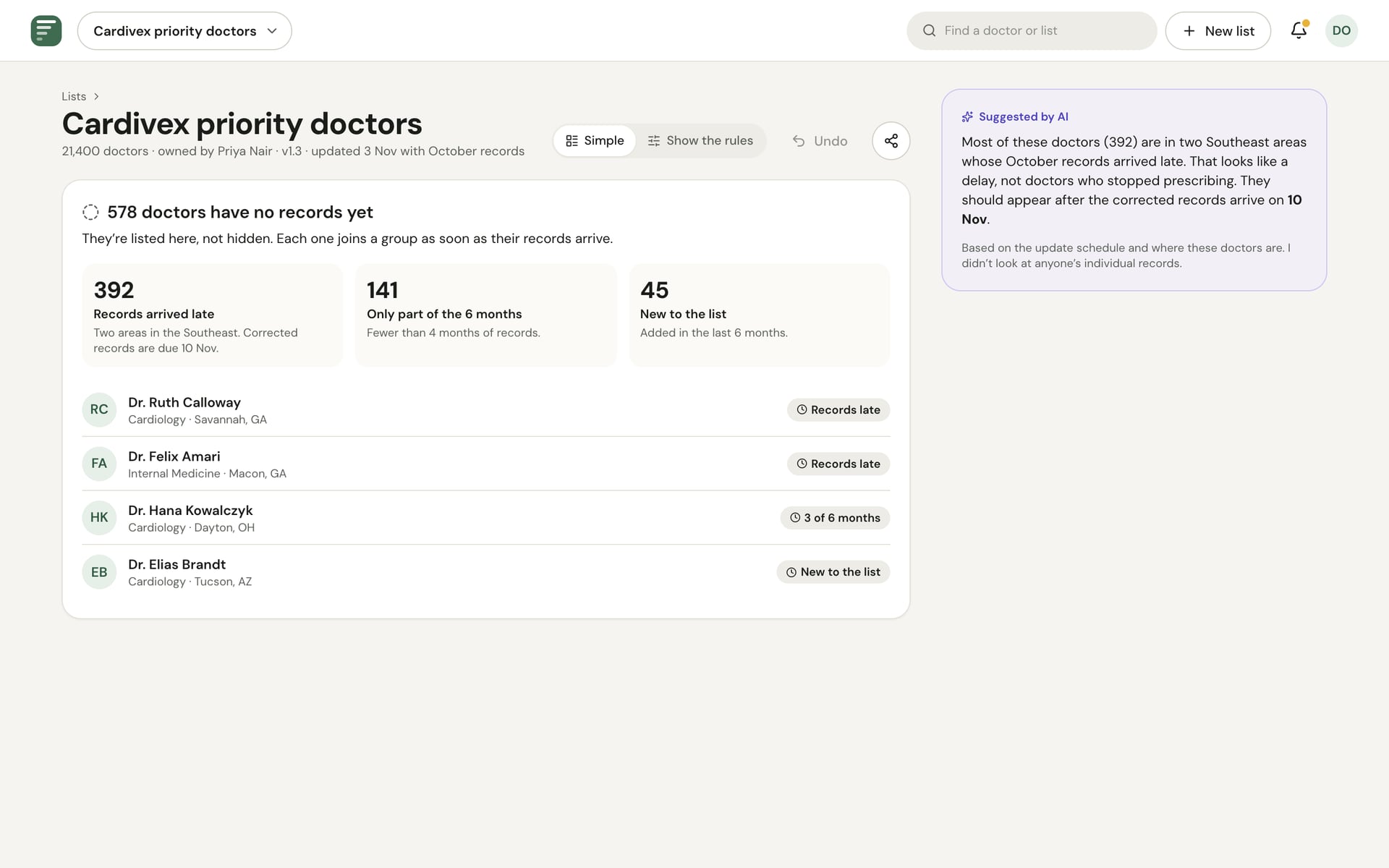
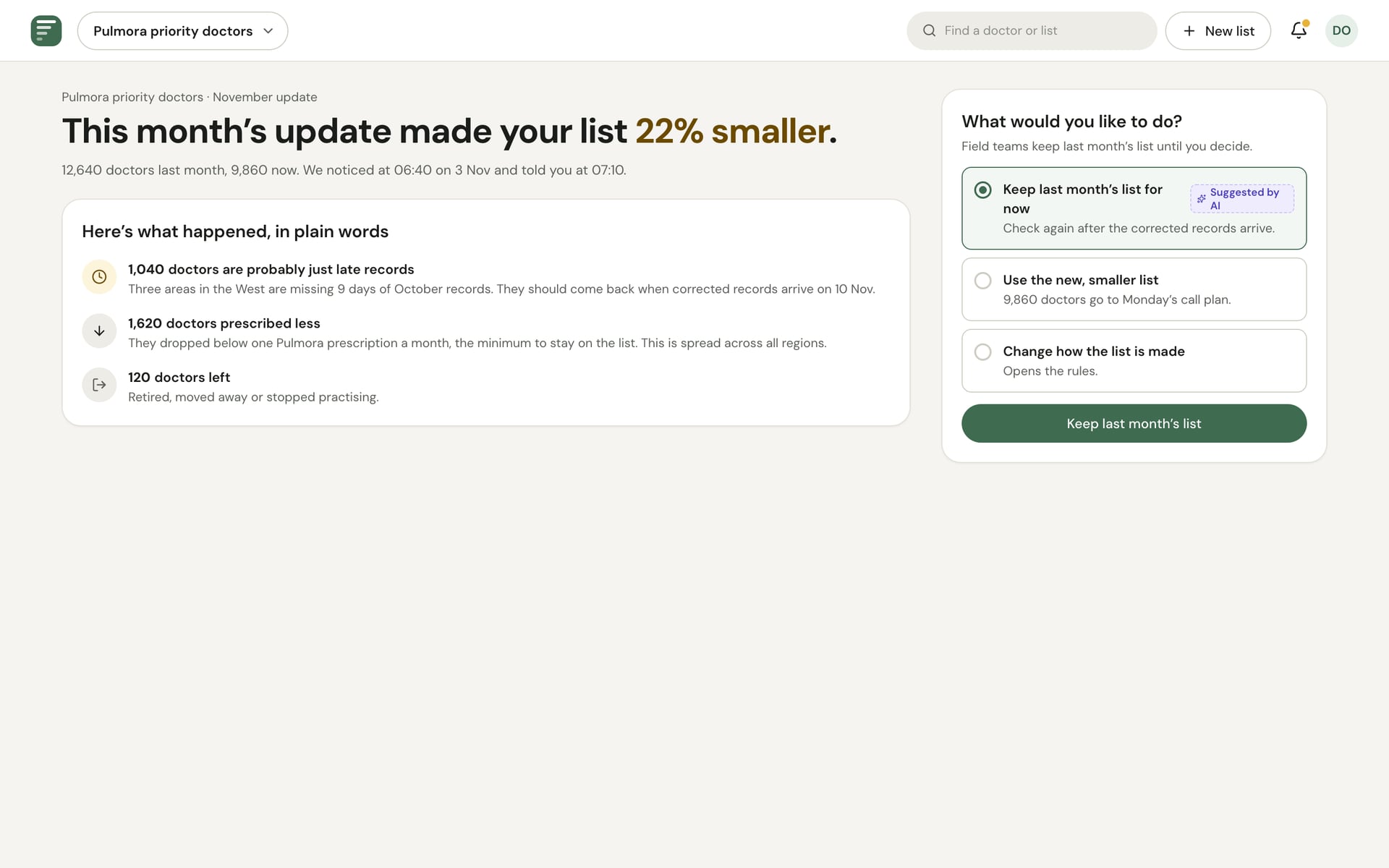
Seven designed in full: doctors with no records yet, a draft with an empty top tier, AI slow, AI unavailable, protected information, a monthly update that shrank a list by 22%, and AI asking one question when a request is ambiguous.
Compliance and review
Brand directors send lists to an analyst for approval instead of publishing them, and a plain change log shows who approved what, when, and what AI did.
Point of view and plan
A six-page deck: principles, a lifecycle and system map, scope and assumptions, an 18-month vision, a leadership plan and a note on how I used AI.
04Screen tour
Every layer, at three sizes
The simple view, the AI moments and the failure moments come at desktop, tablet and phone sizes. The first version's analyst-first frames stay on as an appendix for the detail analysts and compliance need.
The simple view on every size
On smaller screens the sentence and the tier cards come first, and the leaderboard follows.
AI trust moments
Asking, understanding, the result, sending for approval and a field AI won't touch.
Failure moments
Missing records, a monthly update that shrank a list, protected information and an ambiguous request.
Analyst appendix
The first version's deeper frames: the segment portfolio, metric conventions, drift after a refresh and the audit trail.
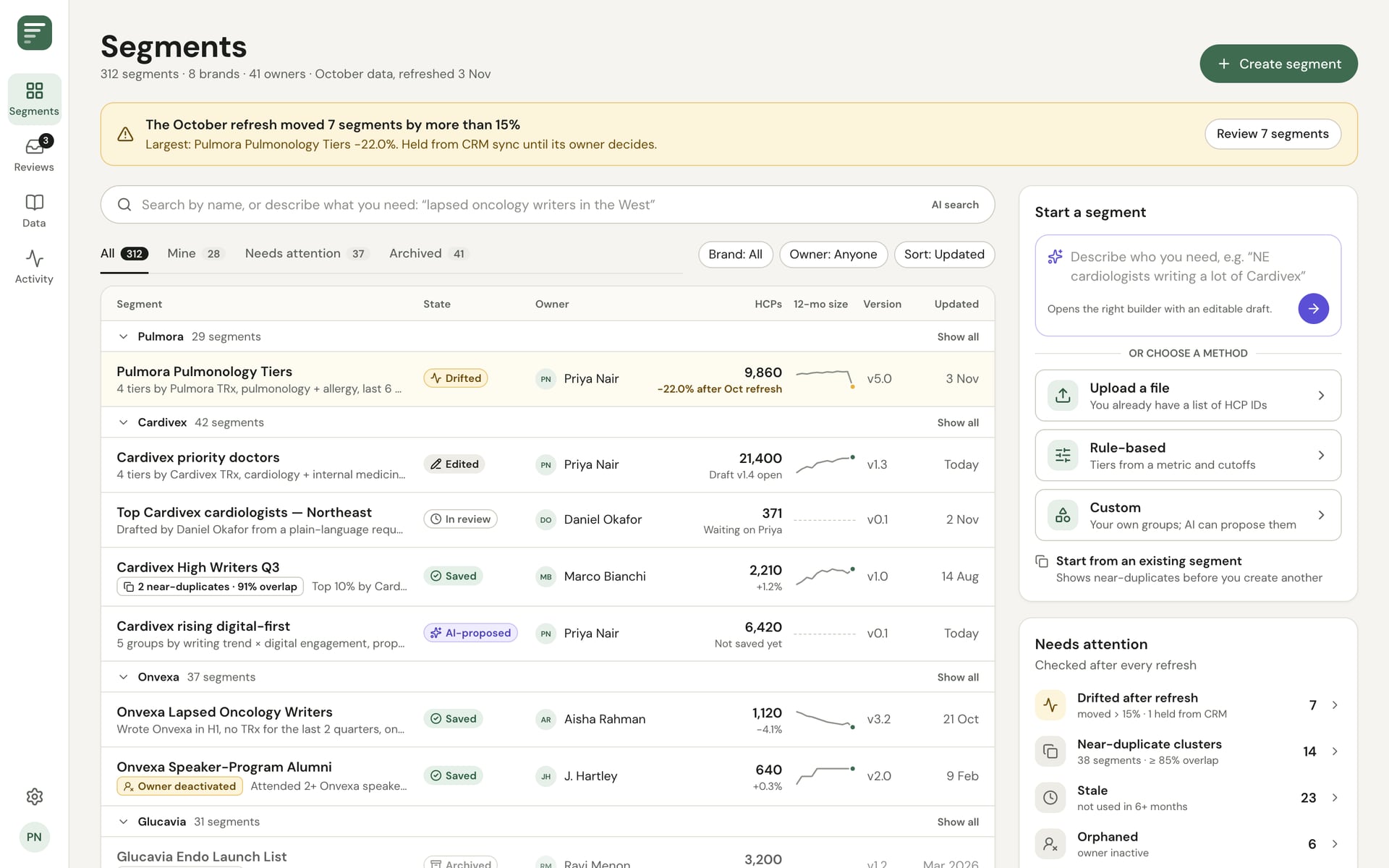
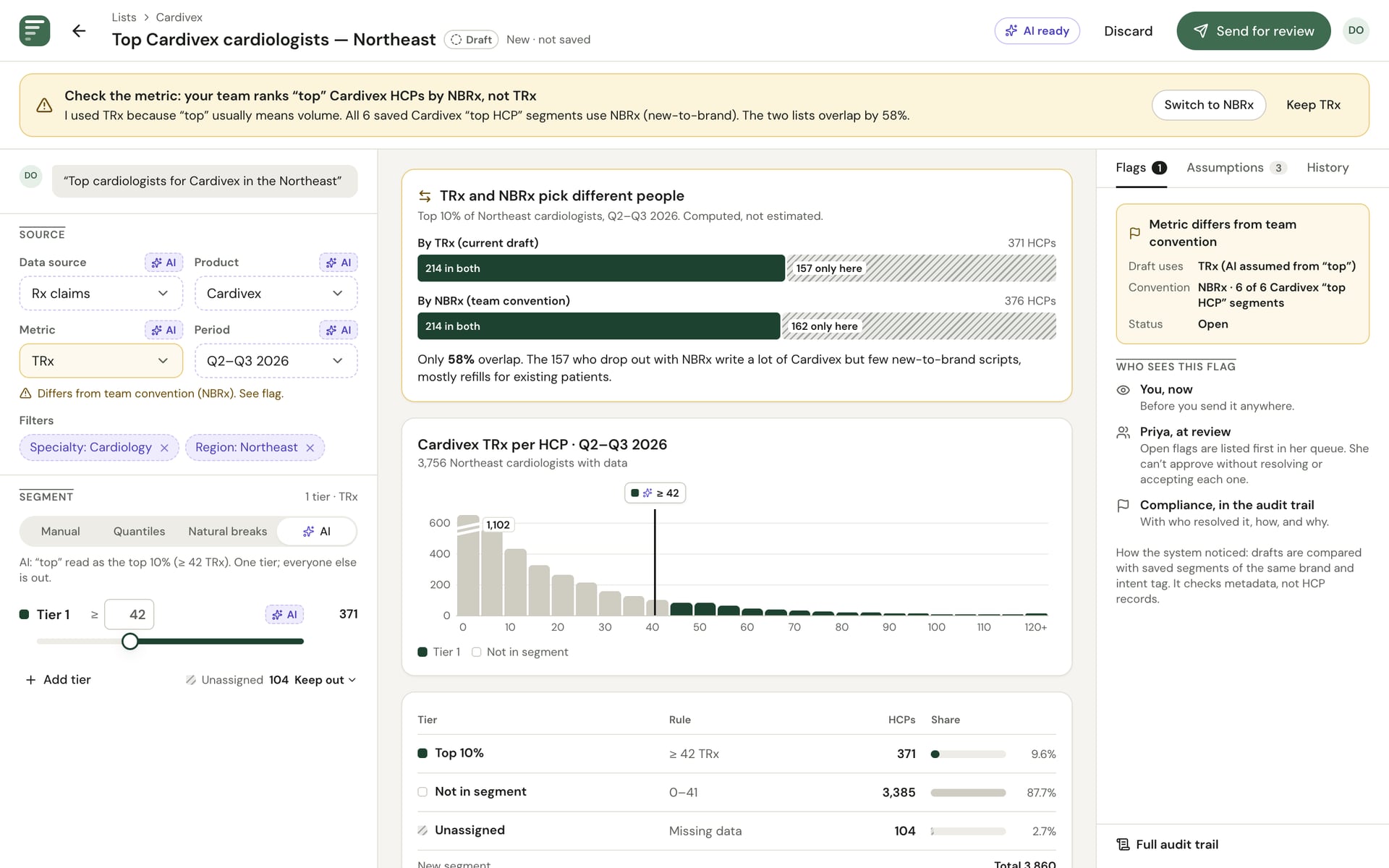
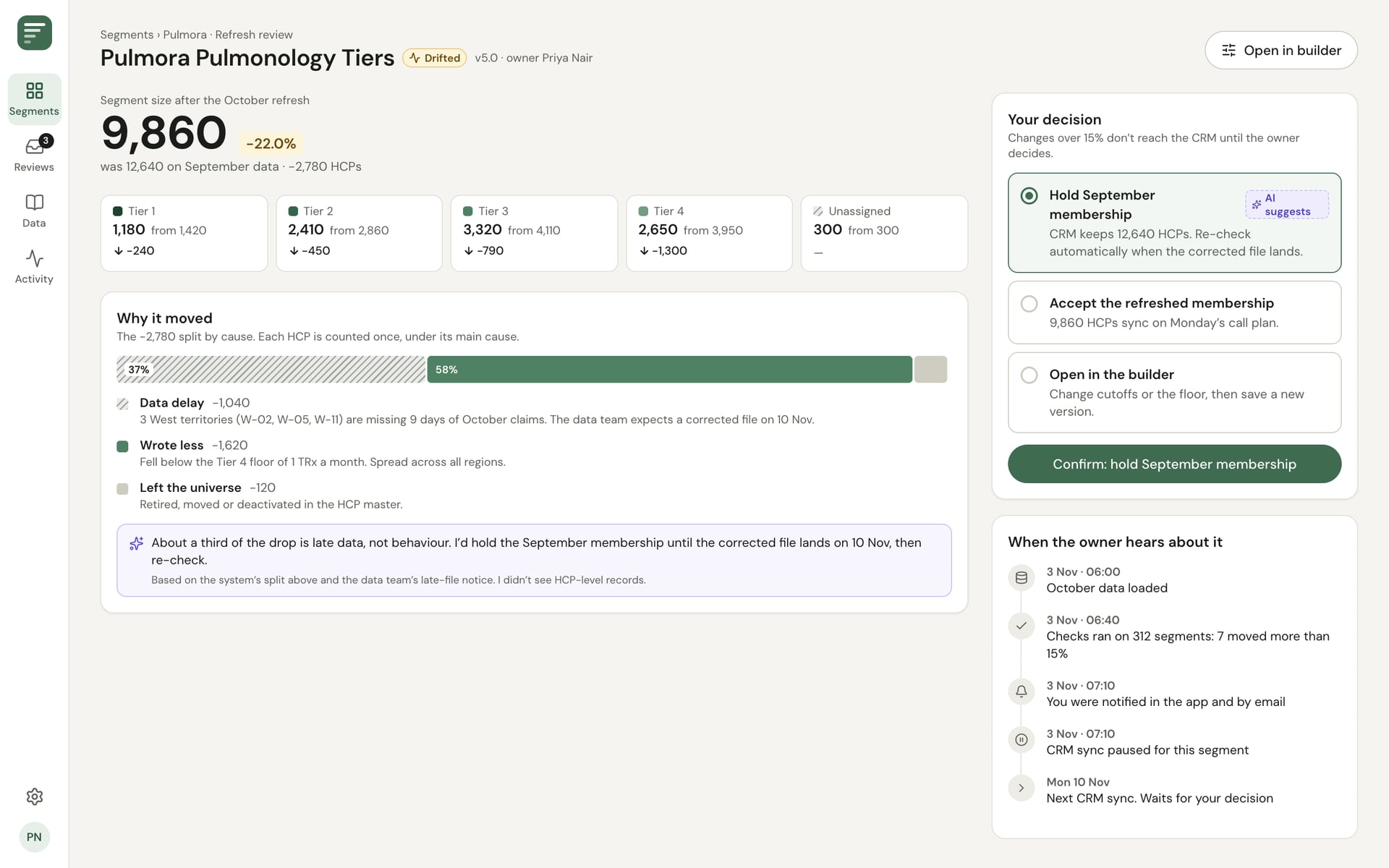
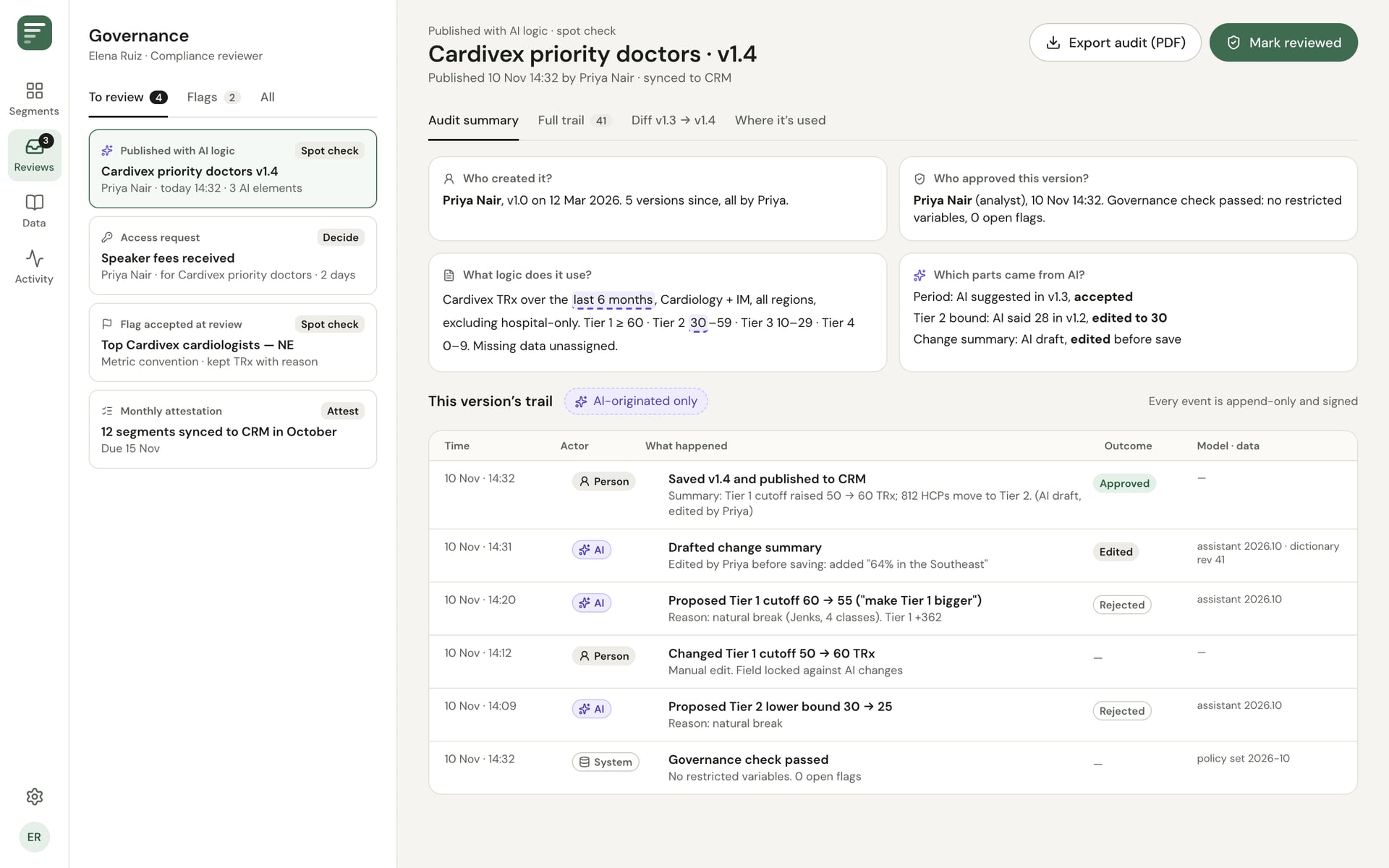
Coded frames with invented doctors, brands and numbers.
05Process
How AI helped, and where it misled me
I used AI tools throughout, and kept a note of where they helped and where they pulled me the wrong way.
Planning against the brief
AI broke the brief into its deliverables and their weights, so I could plan the hours against what mattered most.
Four tools, one dashboard
I ran the same problem through Claude, Claude Code, Magic Patterns and Figma Make. All four returned nearly the same screen. My prompt had named those elements, so I was getting my own assumptions back, not ideas.
Rewriting the prompt around the user
I removed the chart vocabulary and set a test for every screen: could a brand director who dislikes maths understand it in five seconds?
Swinging too far, then back
AI helped me swing to a leaderboard-first design. Rereading the brief, Priya is the primary user and the rule builder carries the most weight, so it stays one tap away and opens first for analysts.
Numbers from the data only
Every number on screen comes from the sample data, never from AI, so I checked counts across frames and made it the first principle.
AI drafted. I decided.
The point of view, the scope cuts, the assumptions and the leadership plan are my decisions.
06What's next
What I'd test first
The plan starts with the builder working well without AI, ships AI features lowest-risk first, and pilots with one brand. Before building, these are the things I'm least sure of.
Does Daniel want to self-serve at all?
Brand directors may prefer to message Priya. The pilot would show how many of his drafts get sent and how many are abandoned.
Can people catch a wrong assumption?
A prototype test with analysts and brand directors, with a planted wrong reading (total prescriptions where the team uses new-to-brand), and a recovery from “AI unavailable”.
Is AI helping, or just tolerated?
Tracked per feature: proposals accepted unedited, edited, rejected or ignored. Helping means the accepted share rises and edits fall over a quarter.
Engineering notes
- Static React and Tailwind frames, each at its exact size on its own route, so they import into Figma one frame at a time
- Design tokens in one CSS file: DM Sans, one forest-green accent, AI violet used only on AI content, and a dark theme
- A Playwright script screenshots every frame and flags text that runs off a frame or gets clipped
- A contrast script checks every token pair against WCAG
- One invented data set (21,400 doctors) used everywhere, so counts agree from frame to frame
Impact
- One list, two depths
- AI trust and failure moments designed in full
- Desktop, tablet and phone frames
- Frames built to import into Figma
Looking for a Senior Frontend Engineer who can ship platforms like this?