Raga AI
Denver Allergy – Clinic Website Redesign
The website of Denver Allergy & Asthma Associates, an allergy practice with six clinics across Colorado's Front Range and a client of Raga AI. I designed the new site, built the first version of most of its pages, and later moved it to Next.js for server rendering, SEO and speed. It's live at denverallergy.com.
Introduction
Project description
Denver Allergy & Asthma Associates is an allergy and asthma practice with six clinics across Colorado's Front Range, and a client of Raga AI. Its website is where patients book, check the pollen count, find a clinic and fill in forms before a visit.
I designed the new site and built the first version of most of its pages in March 2026, then moved it to Next.js in May for server rendering, SEO and speed. Teammates connected it to the CMS and built the dynamic forms, doctor profiles and a feedback form, and I still look after it.
- Timeline
- March to November 2026: design and first build in March, Next.js in May, updates since.
- My role
- Designed the new site and led its frontend: the first version of 30 of its 38 page views, the move to Next.js, SEO and performance.
- Team
- Teammates at Raga AI built the CMS integration and dynamic forms, doctor profiles, a feedback form with voice input, and the deployment pipeline.
- Client
- Denver Allergy & Asthma Associates: six clinics and seven board-certified allergists and immunologists.
01Before and after
What patients saw before, and now
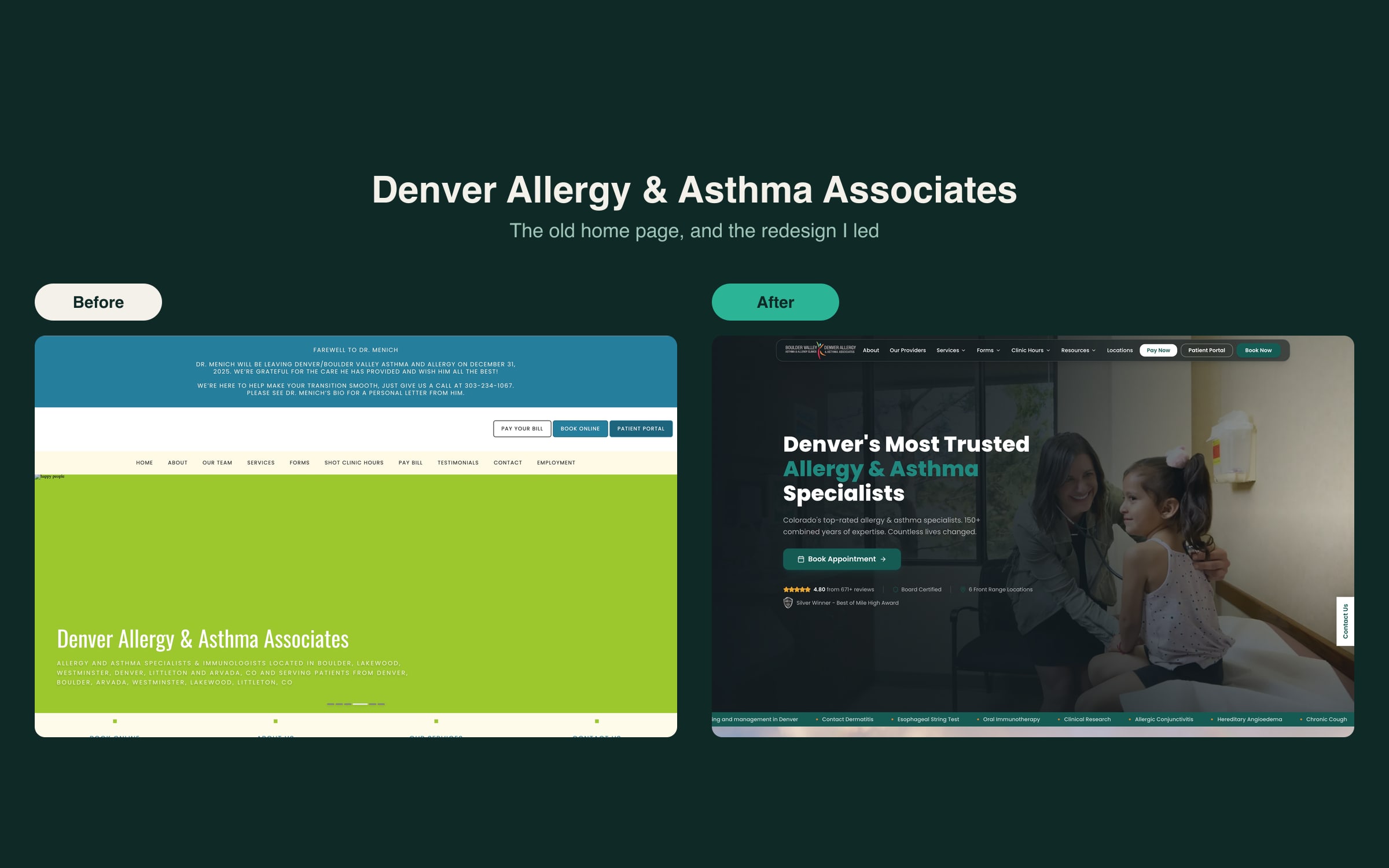
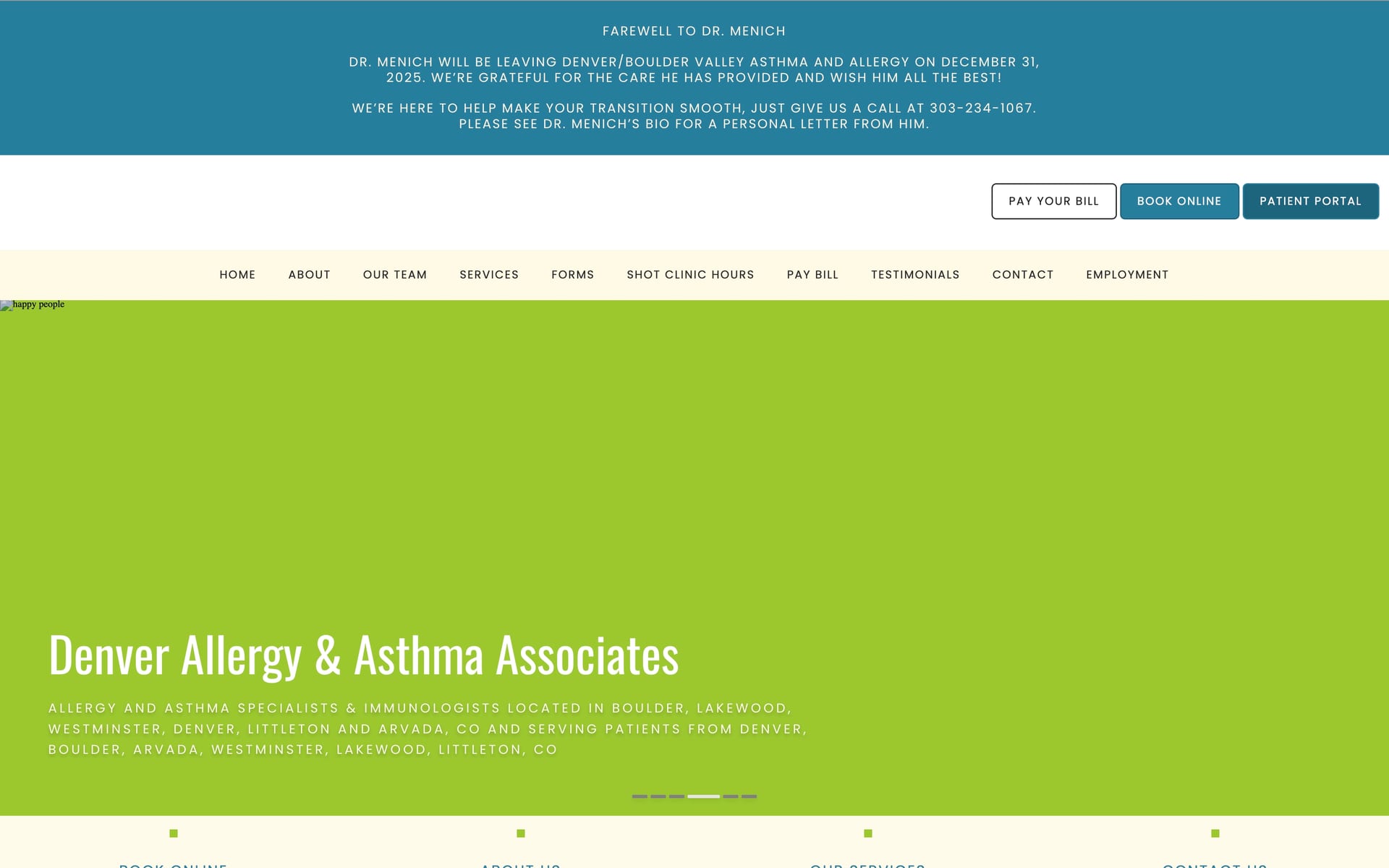
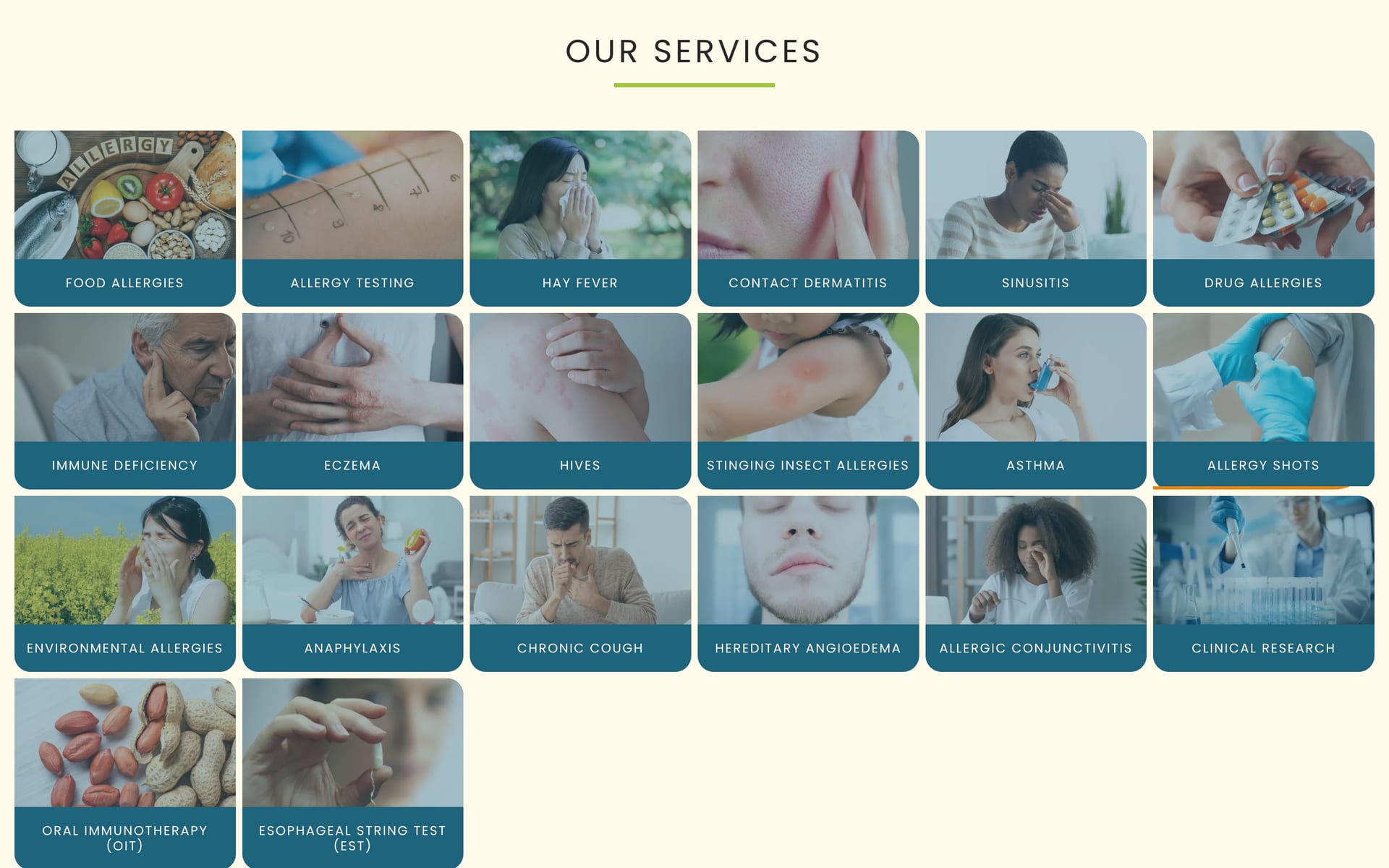
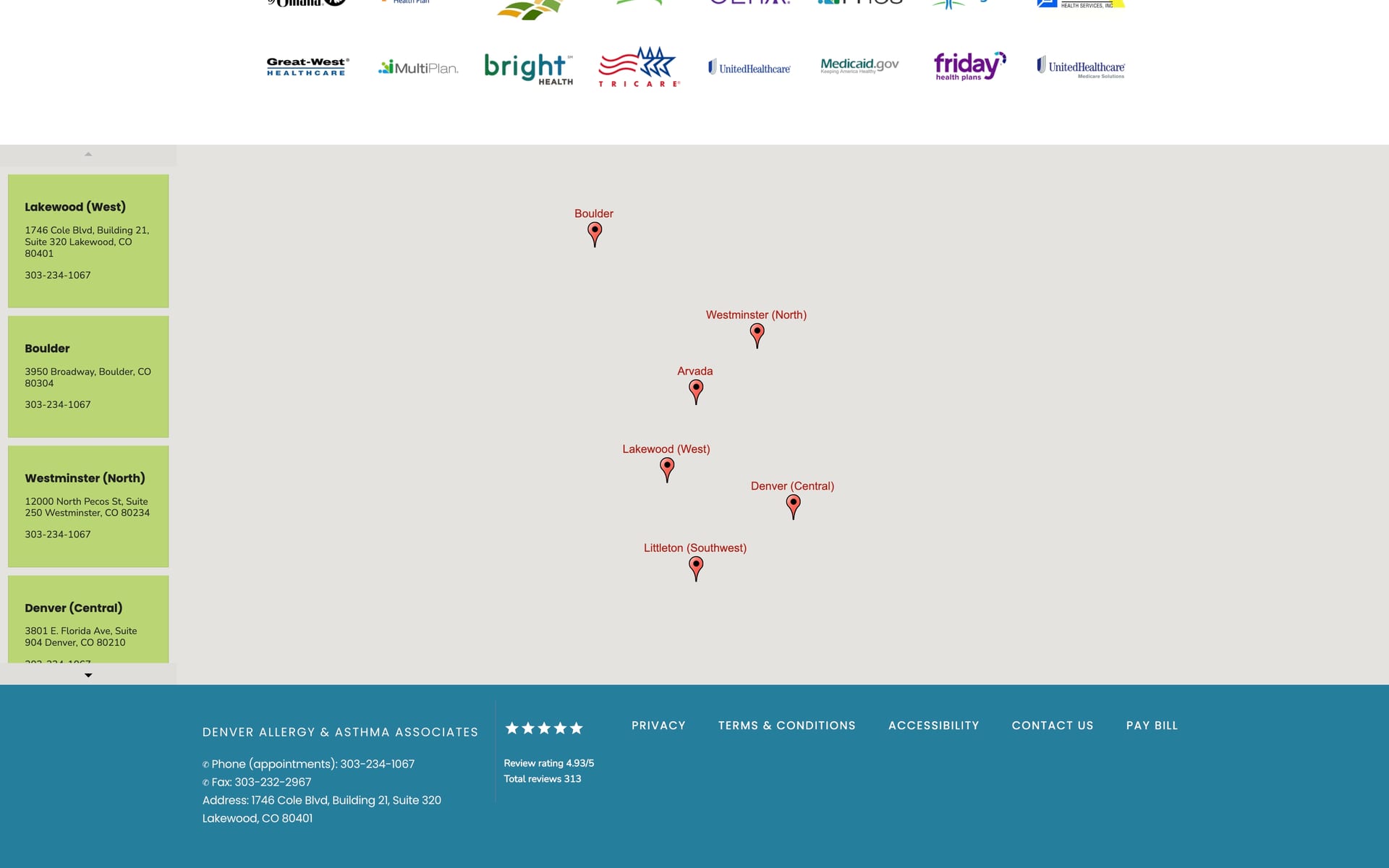
The old home page made patients work. A farewell banner, three buttons and a 10-item uppercase menu sat above a carousel. Services were 20 small photo tiles with no grouping, the doctors were names under round photos, and insurance and the clinics were at the very bottom.
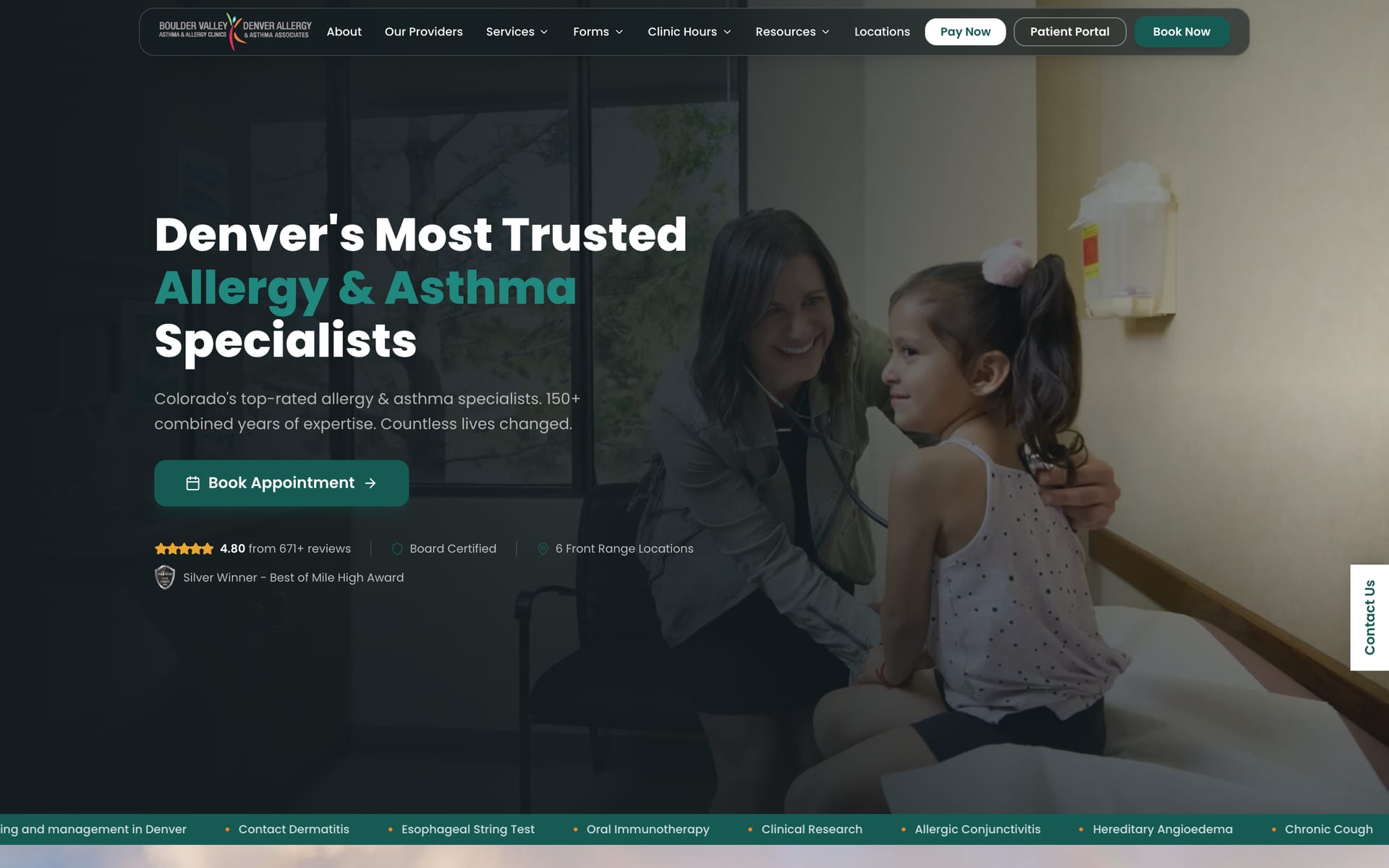
The new site puts what patients come for first: one way to book, today's pollen count, services by category, the doctors, reviews, insurance and the nearest clinic.
Before: the old site
The client's former home page, captured before the redesign. Some images hadn't loaded in this capture.

After: the new site
A calm green and cream palette, one Book Appointment button, and the page in the order patients need it.
On a phone
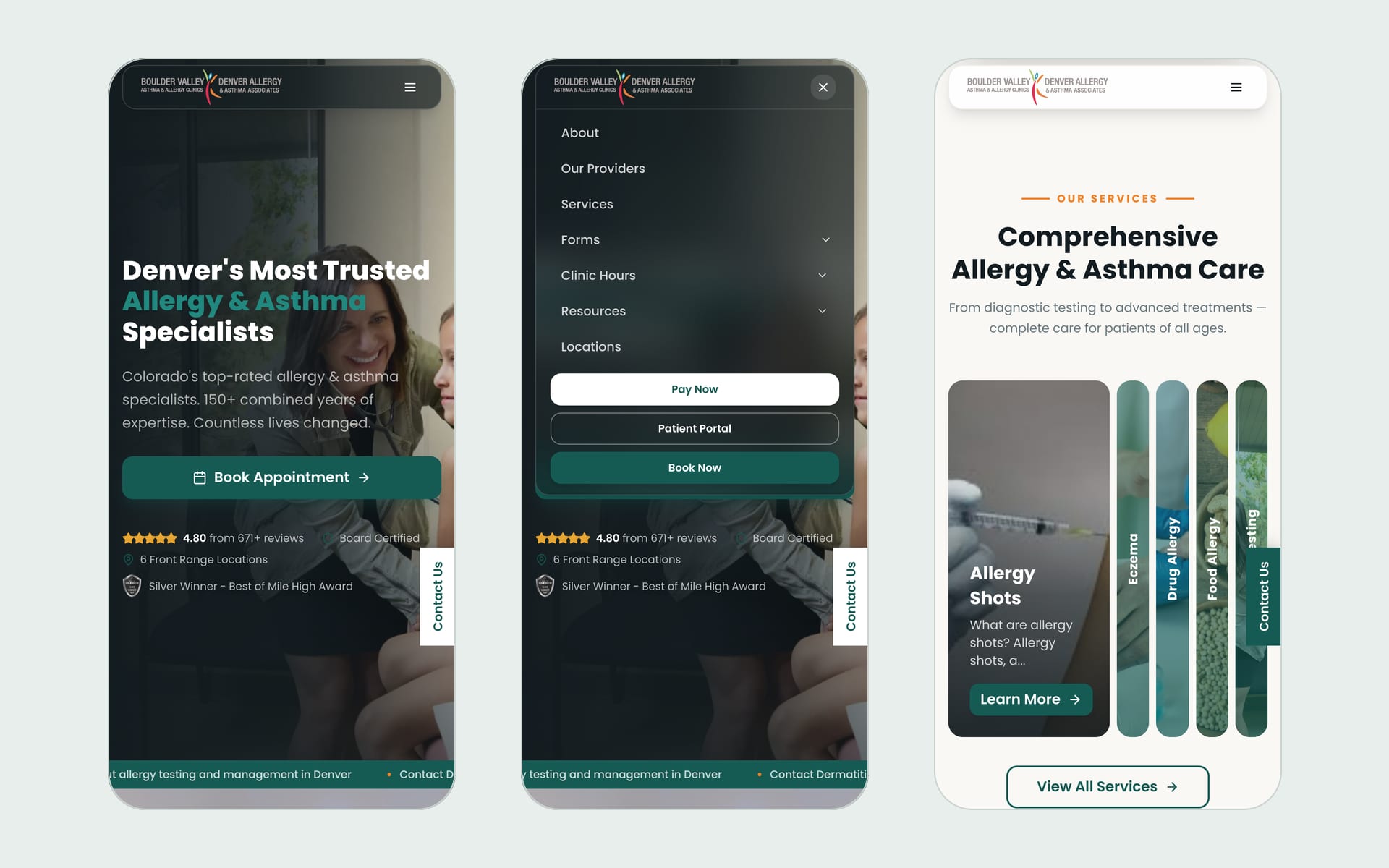

02The design
Designed in a weekend, then built for real
I designed the new site in Lovable over a weekend, about 260 iterations across two prototype repos, and brought the eighth version into the production repo as the first version of every page.
From there it became a real codebase, with components shared across pages and the content moved into a CMS.
Trust up front
The rating, board certification, six locations and an award sit beside the first button a patient sees.
Pollen, every day
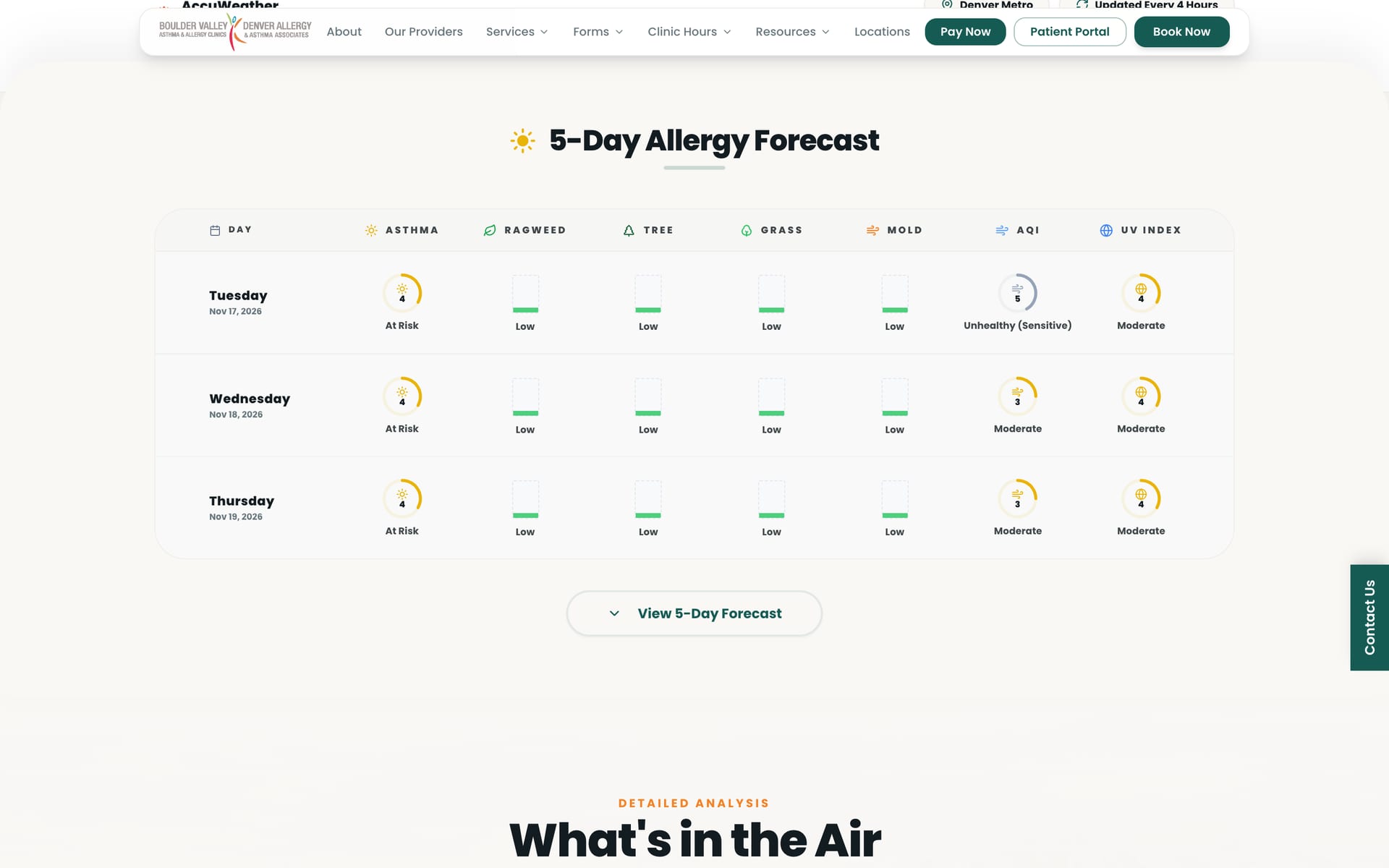
Allergy patients in Denver check the pollen count daily, so it's on the home page and has a page of its own with a five-day forecast.
One way to book
A single Book Appointment action, repeated on every doctor's card and every service page.
Calm, not clinical
Deep green and warm cream, real photos of the doctors, and Poppins throughout, instead of condensed uppercase type.
03What I built
The parts I owned
A home page built around patients
One Book Appointment button with the rating and awards beside it, then what patients look for, in that order.
- Today's pollen count for Denver: tree, grass, ragweed and mold
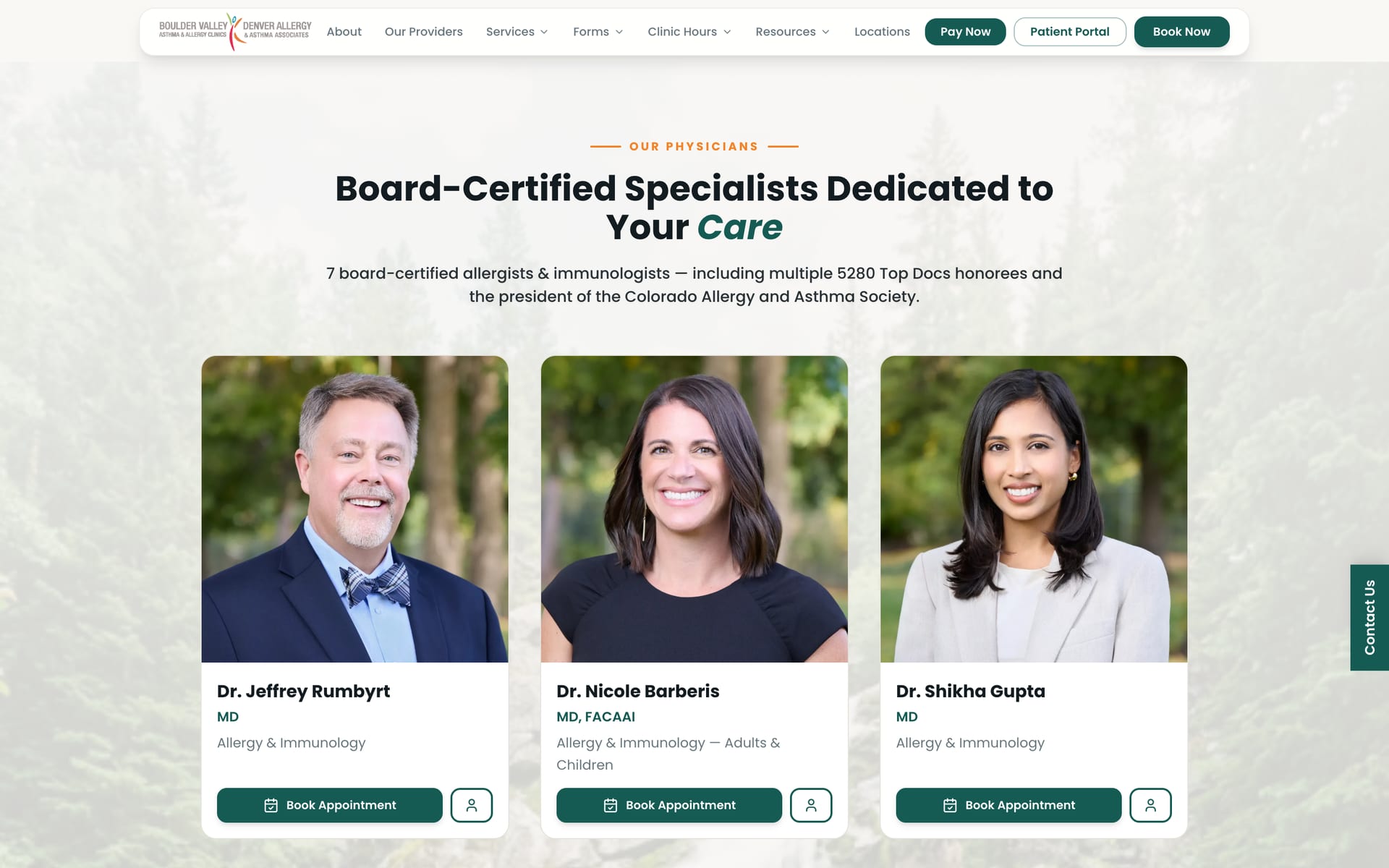
- Services in an expanding carousel, doctors with booking buttons, video and written reviews
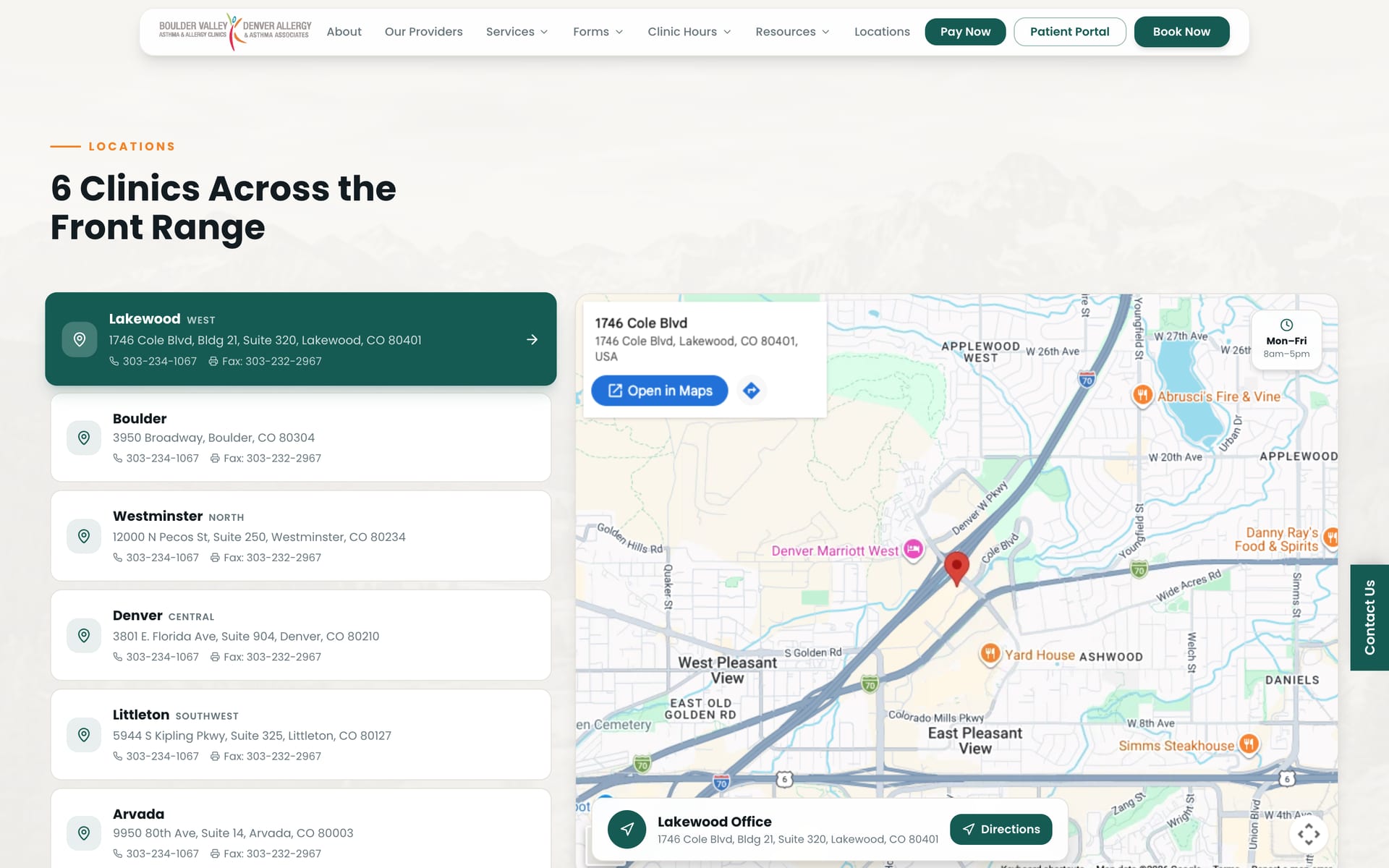
- 42+ insurers with a call to verify coverage, and six clinics on a map
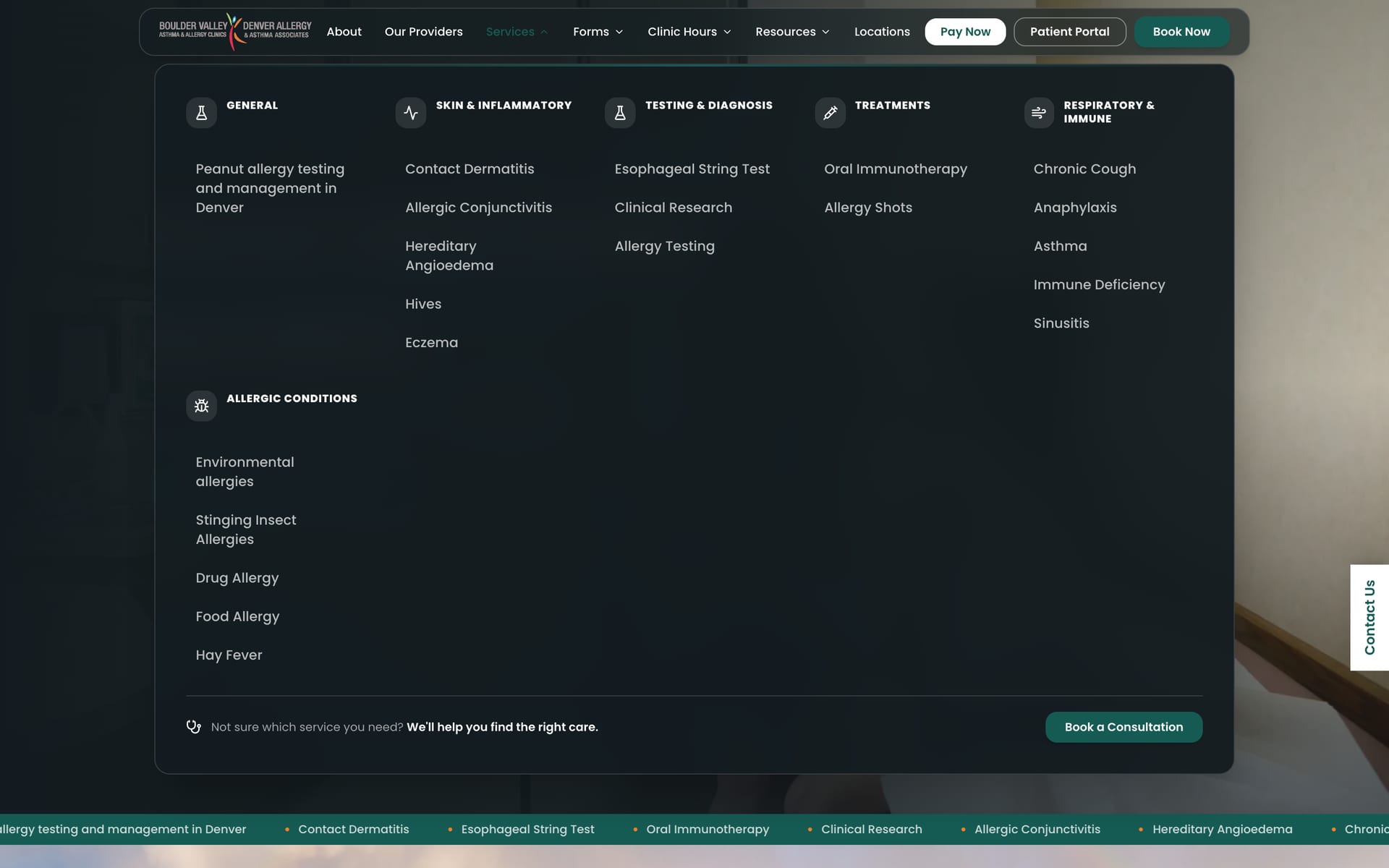
Navigation for 21 services
A services mega menu grouped into six categories, from skin and inflammatory conditions to treatments, with menus for forms and clinic hours and a full mobile menu.
A page for every service and doctor
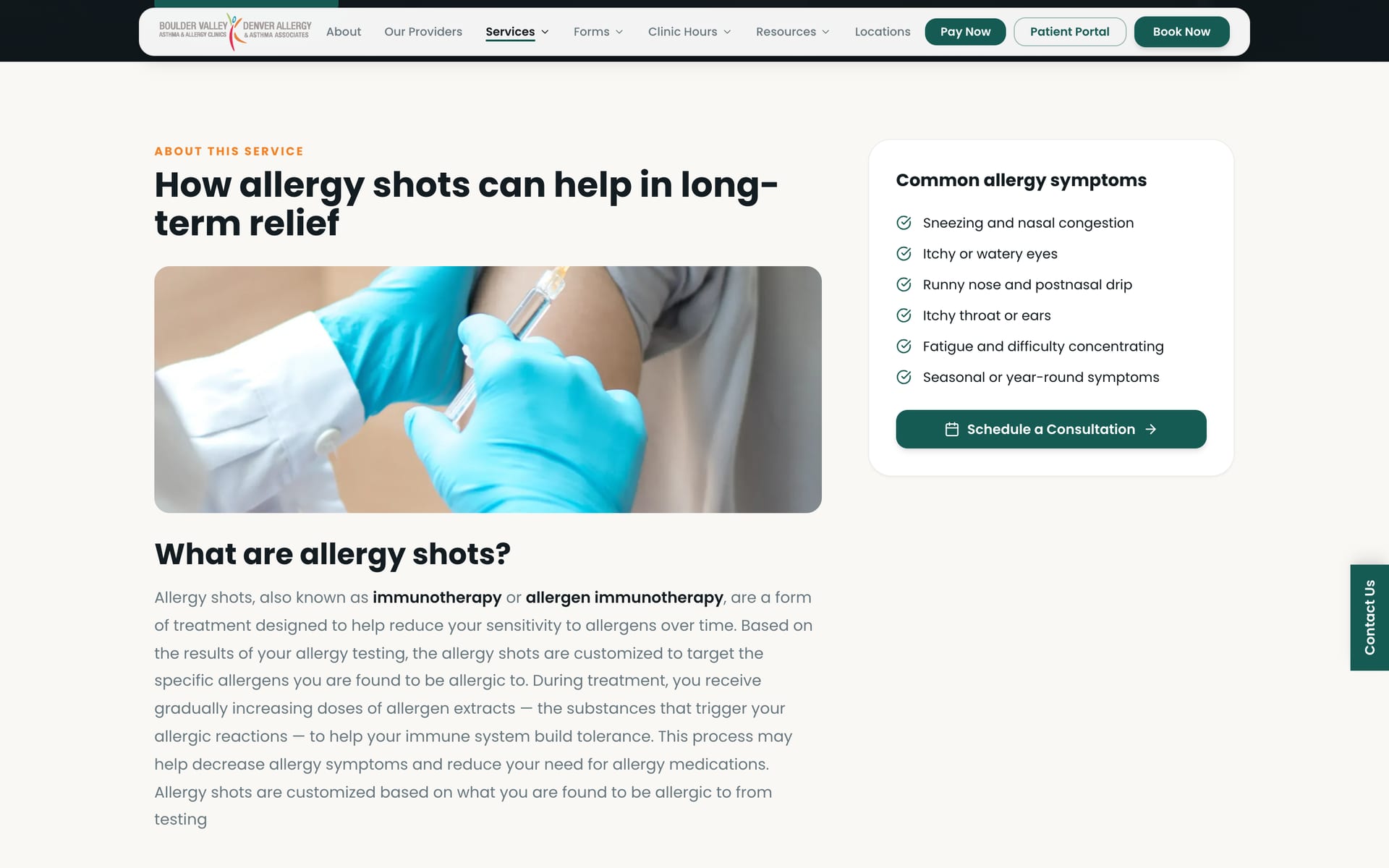
One template for every service: an explainer, common symptoms, questions and answers, and a booking call to action. Doctor profiles and a providers page with booking on every card.
Pollen tracker
A pollen page for Denver with today's asthma index, a five-day allergy forecast, what's in the air, and where the data comes from.
Next.js and server rendering
Moved the site from a client-rendered React app to the Next.js App Router. Data is fetched on the server with React Query and hydrated in the browser, so search engines see every page in full.
- Loading skeletons for each route
- Page metadata generated for every doctor and service
SEO that keeps old rankings
Canonical URLs, a dynamic sitemap and robots file, and redirects that map old URLs, legacy doctor links and renamed service pages to their new homes.
Speed
Every image through next/image with a custom loader for CMS-hosted images, self-hosted fonts, in-memory caching of CMS requests, and non-critical home page data loaded after the first paint.
04Next.js & SEO
Server-rendered, so search engines see every page
The first build was a client-rendered React app, so search engines and AI crawlers saw an almost empty page until the scripts ran. For a clinic that patients find by searching, that's a problem.
In May I moved it to the Next.js App Router. Every page now arrives as full HTML, with its data fetched on the server and handed to React Query in the browser.
Every page in full
Services, doctors, clinics and announcements are fetched on the server and hydrated on the client.
Metadata per page
Titles and descriptions generated for every doctor and service, canonical URLs, and a dynamic sitemap and robots file.
Old links keep working
Permanent redirects map old URLs, legacy doctor links and renamed service pages to their new homes, so rankings carry over.
Fast on a phone
next/image with a custom loader for CMS images, self-hosted fonts, cached CMS requests, and non-critical data loaded after the first paint.
05Challenges
The hard parts
A clinic's website is never finished: doctors join and leave, services change, and it all has to stay findable.
Rebuilding without losing rankings
Changing URLs would have thrown away years of search history, so old addresses were mapped to their new pages with permanent redirects.
CMS images at speed
Images live in the clinic's CMS, not the repo. A custom next/image loader sizes them for each screen, so they load quickly without being bundled.
Widgets and hydration
Third-party widgets rendered differently on the server and in the browser after the move to Next.js. I tracked down and fixed the hydration mismatches.
Keeping it current
When a doctor left the practice, I removed them from the provider list, both sitemaps and llms.txt, and redirected their profile URL so old links still land somewhere useful.
06Outcome
Where it got to
The new site is live at denverallergy.com, server-rendered and shipped through a release pipeline that had reached version 1.24 by November 2026. Patients can book, check the pollen count, find a clinic and fill in their forms without leaving it.
Engineering notes
- Designed in Lovable over a weekend, about 260 iterations across two prototype repos, then brought into the production repo as the eighth version of every page
- Moved from a Vite React app to the Next.js App Router, with React Query prefetching on the server and hydration on the client
- A custom next/image loader for CMS-hosted images, self-hosted fonts, and in-memory caching of CMS and API requests
- Dynamic sitemap, robots and canonical URLs, and metadata per doctor and service page
- Slug mapping and permanent redirects in the Next.js config for old URLs, legacy doctor links and renamed services
- Route-level loading skeletons, and hydration fixes for third-party widgets
Impact
- New design, live at denverallergy.com
- First version of 30 of the site's 38 page views
- Moved to Next.js with server rendering
- Old URLs redirected, so rankings carry over
Looking for a Senior Frontend Engineer who can ship platforms like this?