Raga AI

Canvas, screen by screen

61 screens13 areas

Every page of the Canvas app: projects, the agent builder and its chat, tools, callbacks, prompts, knowledge bases, tracing, settings, and a workflow builder that hasn't shipped yet.

I built nearly all of it. A few parts came from teammates, and the case study says which.

Captured from the running app with every API response replaced by made-up data for a fictional store. No real customers, people or keys appear.

4 of 61 screens are open. The other 57 are shared on request: send me a short email and I'll reply with a private link.

Projects and sign-in 7

Projects hold a team's agents, tools, prompts and keys. People join one through an invite link.
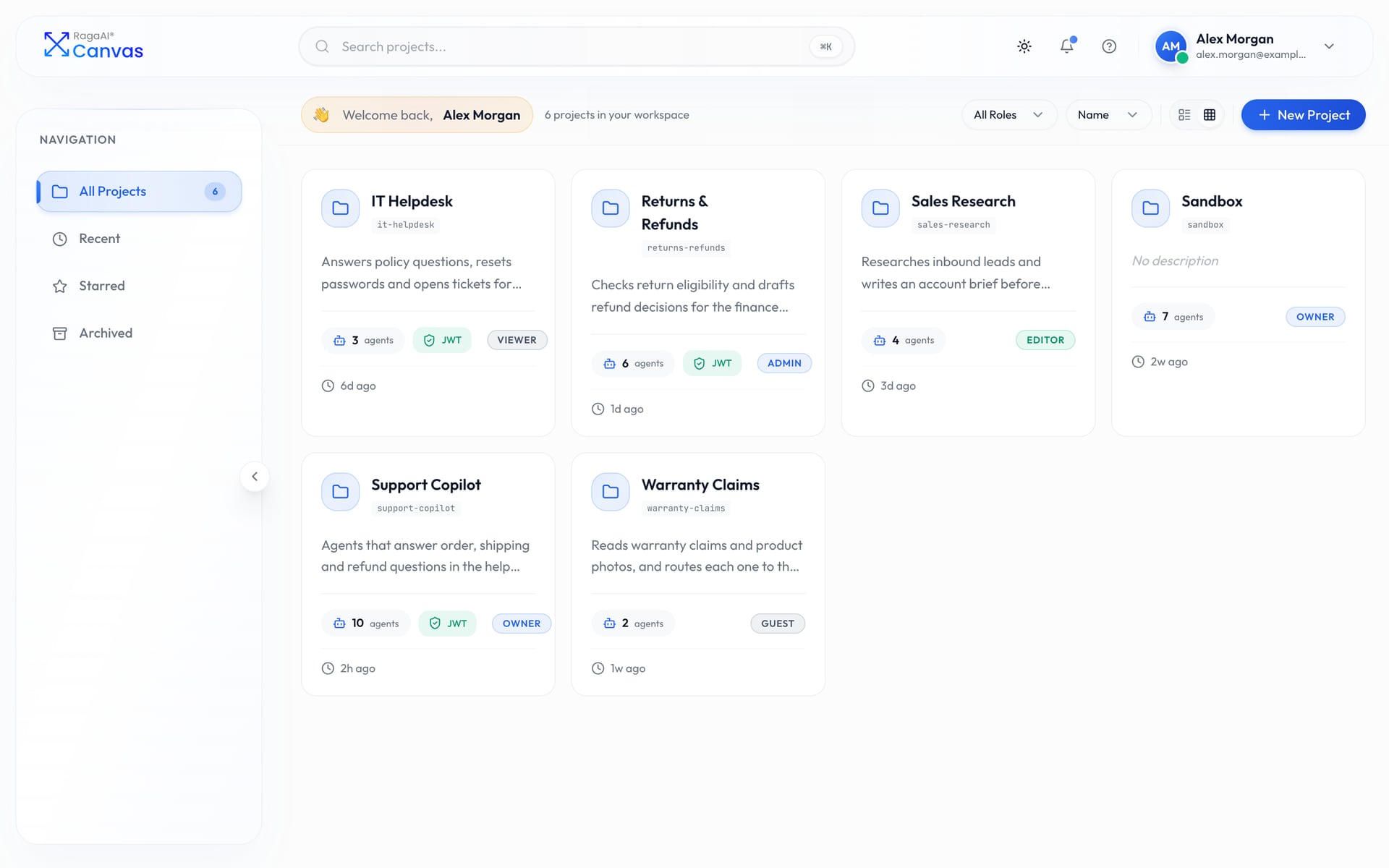
Canvas: Projects, as cards
Projects, as cards
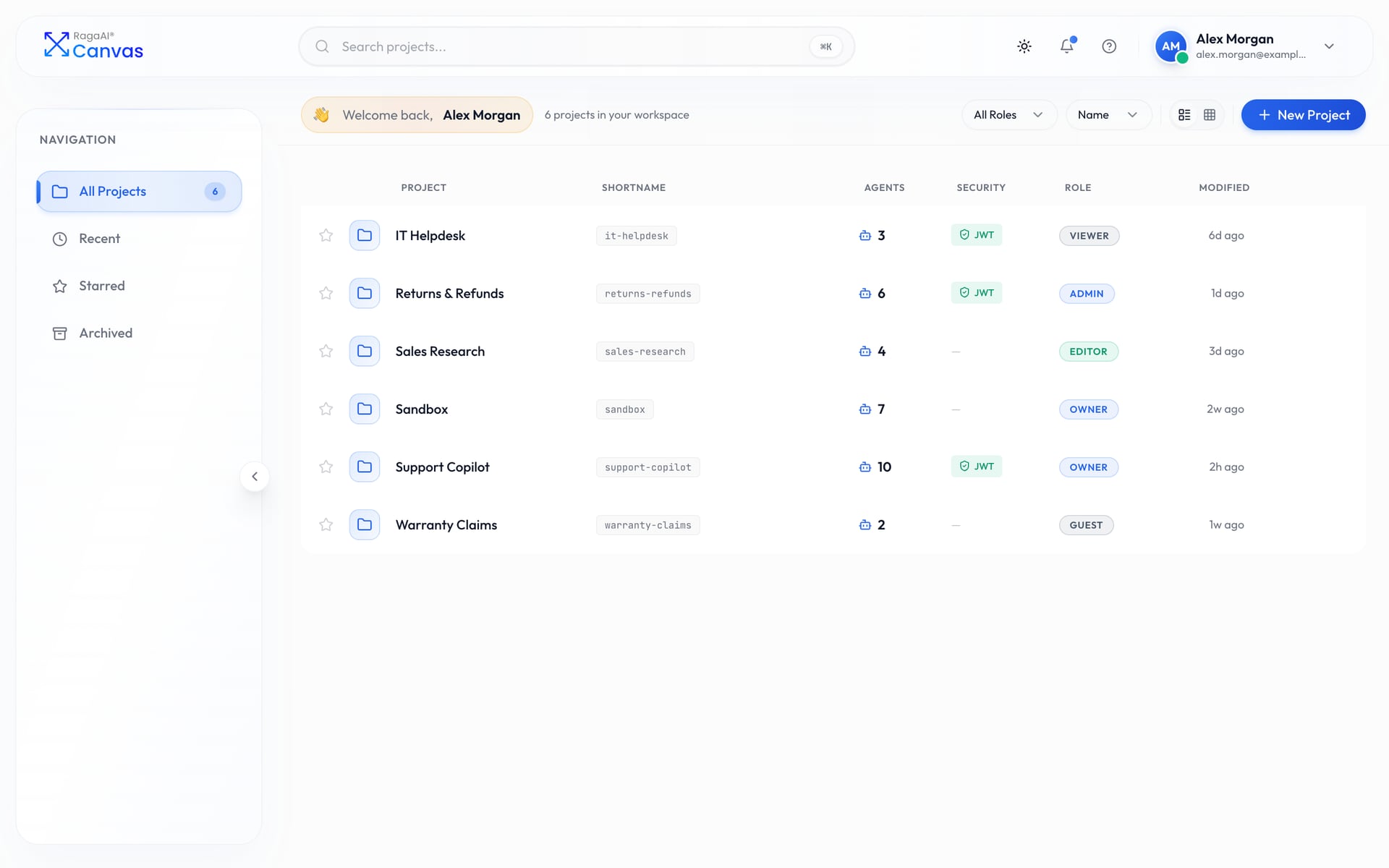
Canvas: Projects as a list, with role and security columns
Projects as a list, with role and security columns
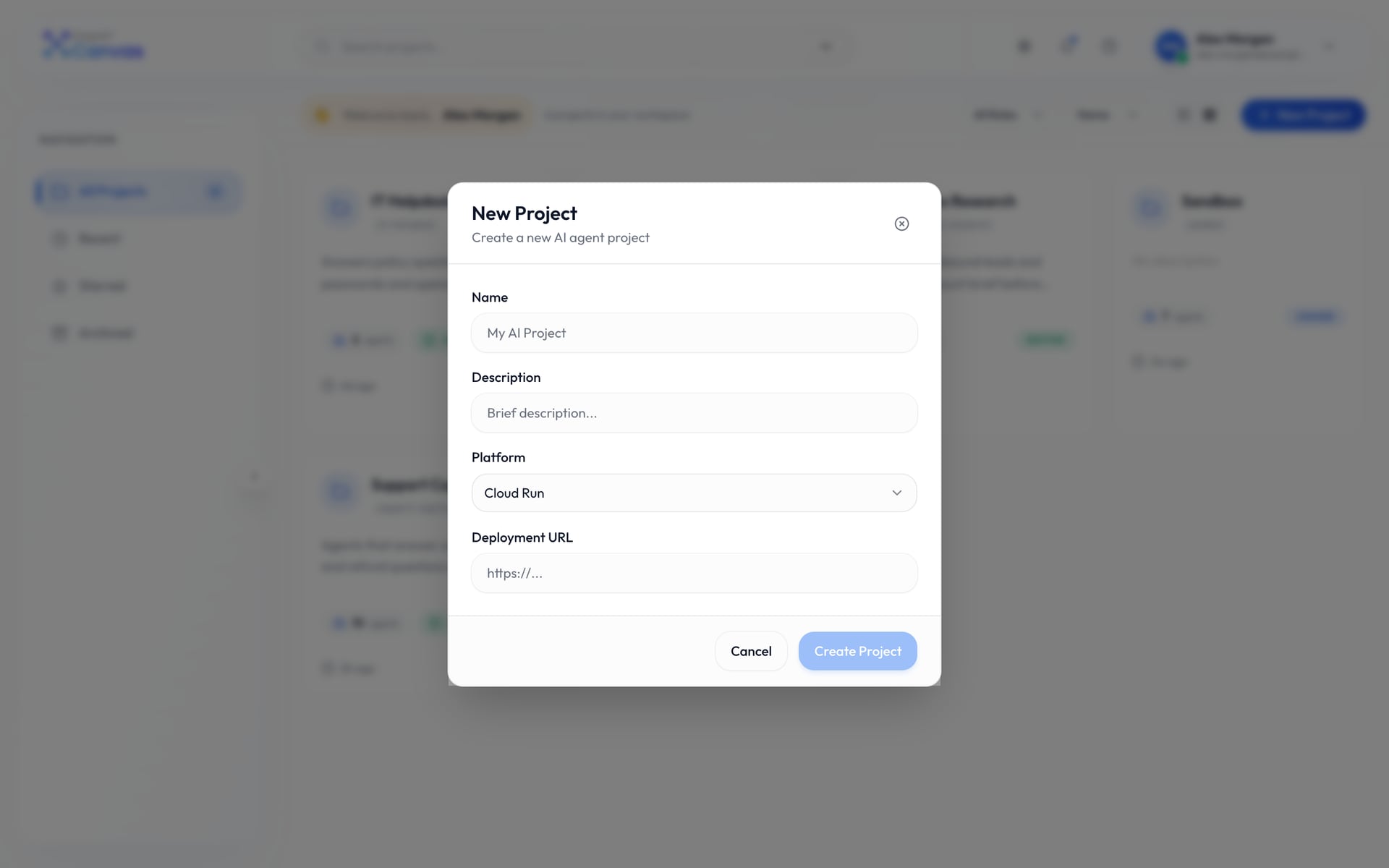
Canvas: Creating a project
Creating a project
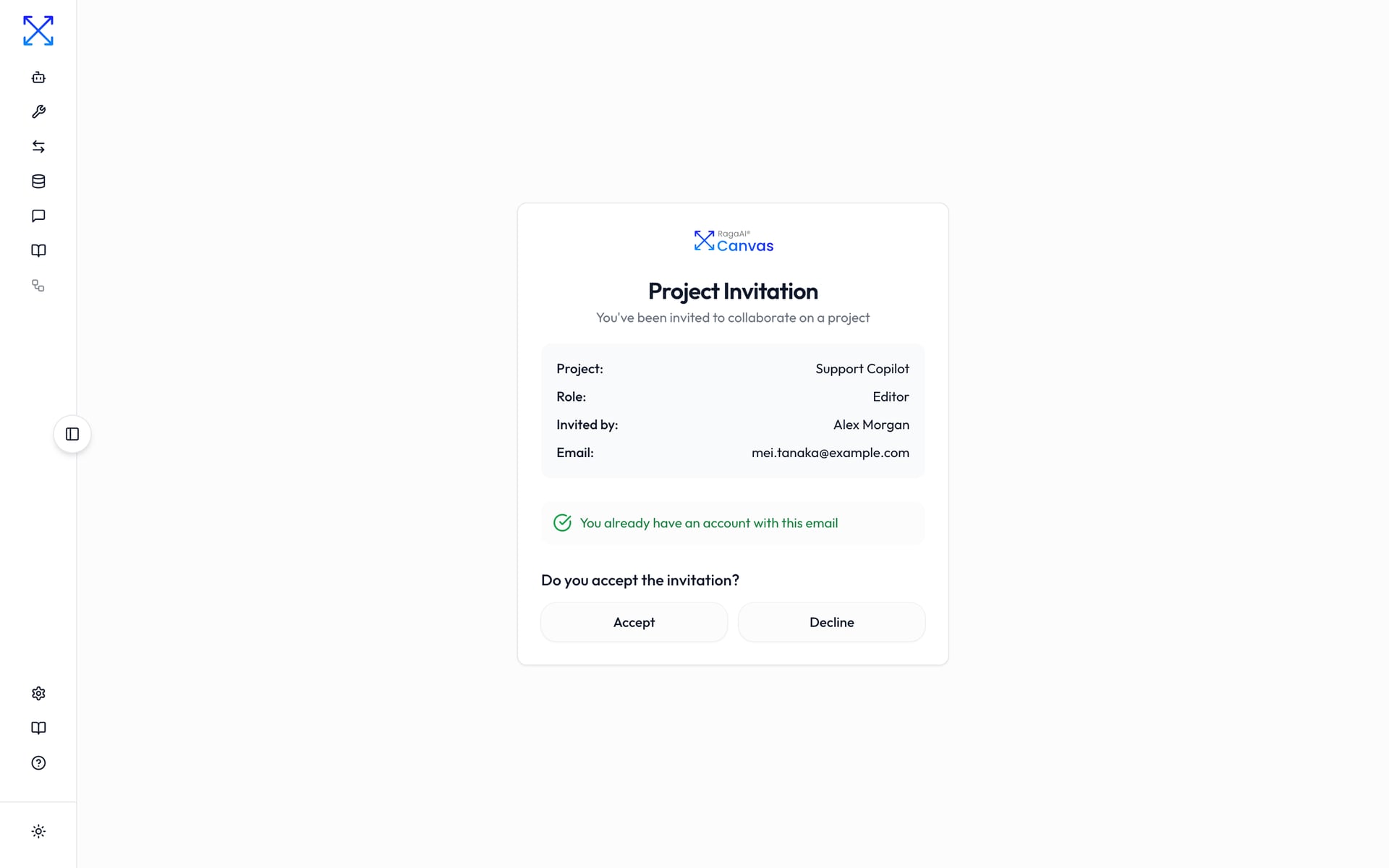
Canvas: Accepting an invitation to a project
Accepting an invitation to a project
Sign in
Create an account
Reset password

Agents 3

Every agent in a project, with pinned agents, folders and drag-and-drop to organise them.

My Agents: pinned agents and folders
Inside a folder
Agents as a list

Agent builder 9

One screen to configure an agent and test it, with the chat beside the form.

A new, empty agent
Testing an agent while editing it
A manager agent that hands work to three others
Callbacks before and after the model, tools and the agent
Model parameters, read from the model's own schema
Choosing tools
Choosing knowledge bases
Version history
Viewing an earlier version, read-only

Testing in chat 3

The full-page chat, with saved conversations, tool calls and markdown replies.

Saved conversations for an agent
A tool call, its result and the reply
Inspecting a tool call's arguments

Tools 7

Python functions, GraphQL queries and MCP servers an agent can call. Every tool is versioned.

Tools in a project
Choosing a tool type
A Python tool in the code editor
A GraphQL tool with its query editor
A tool's version history
One version of a tool
An earlier version, ready to restore

Callbacks 3

Python hooks that run before or after the model, a tool or the agent, such as redacting card numbers or capping refunds.

Callbacks in a project
Choosing a callback type
A callback that redacts card numbers and emails

Prompts 4

Reusable, versioned instructions an agent can import.

Prompts in a project
A prompt
A prompt's versions
An earlier version of a prompt

Knowledge bases 4

Documents an agent can search, with a query box for checking what it will find.

Knowledge bases
Creating a knowledge base
Files in a knowledge base
Checking retrieval with a test query

Tracing to Catalyst 3

Tracing configs send every run to a project in Catalyst, Raga AI's evaluation platform.

Tracing configs
Choosing a config type
A Catalyst tracing config

Workflow builder (not released) 4

A canvas for multi-step logic with nine node types. It's built, but the sidebar still marks it as coming soon.

Workflows
A support triage workflow
Nodes expanded to show their settings
Testing a workflow in its chat panel

Settings and team 6

Profile, collaborators with five roles, model API keys, access keys and project security.

Profile settings
Collaborators and their roles
Inviting a collaborator
Model provider API keys
Access keys
Project security: JWT signing key and allowed domains

Help 2

Docs and support pages.

Documentation
Support

Dark theme 6

Some of the screens above in the dark theme.

Sign in, dark theme
Projects, dark theme
Agent builder, dark theme
Chat, dark theme
Python tool, dark theme
Knowledge base query, dark theme

Shared on request

See every screen

Canvas is company work, so I share the full set of screens with people I know are looking: recruiters, hiring managers and engineers I'm talking to. Tell me who you are and I'll email you a private link.

This opens your mail app with everything filled in. Or email sachin@sachinkamat.com

Want the story behind these screens?